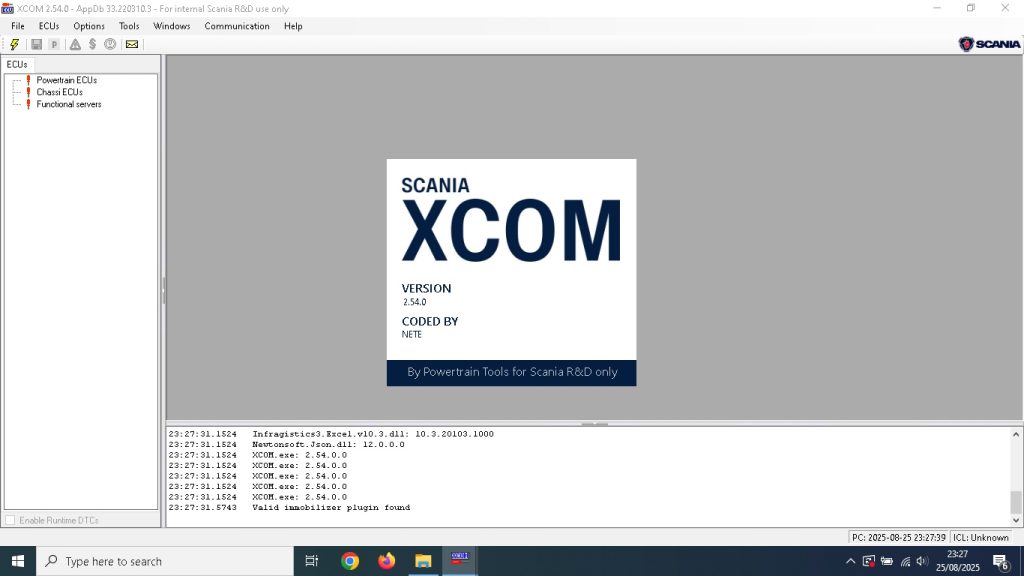
Scania XCOM 2.54 is a specialist parameter programming and configuration tool for Scania trucks, buses, and industrial engines. Where Scania SDP3 handles fault diagnostics and guided procedures, XCOM goes deeper — it provides direct access to ECU parameter blocks, allowing advanced parameter reading, writing, and configuration that SDP3’s standard interface does not expose. If you work on Scania vehicles at a calibration or engineering level, XCOM is the tool that unlocks that access.
What Is Scania XCOM?
XCOM (Extended Communication) is a Scania-developed tool designed for parameter-level access to Scania ECUs. It operates alongside SDP3 rather than replacing it — SDP3 handles standard diagnostic work while XCOM enables advanced parameter configuration, ECU identification, and data extraction that goes beyond what SDP3’s guided interface exposes.
What XCOM 2.54 can do
- Direct parameter block access — read and write raw parameter blocks from Scania EMS, GMS, Retarder, and other ECUs
- ECU identification — read hardware and software version information from every ECU on the vehicle
- Parameter backup and restore — export complete ECU parameter sets before any modification and restore them if needed
- Cross-ECU parameter comparison — compare parameter blocks between two ECUs or against a reference file
- Security seed/key handling — manage security access for ECUs that require authentication for parameter changes
- VCI2 and VCI3 support — works with both Scania interface generations
XCOM vs SDP3 — When to Use Each
| Function | SDP3 | XCOM |
|---|---|---|
| Fault code read/clear | ✅ Yes | ❌ No |
| Guided fault finding | ✅ Yes | ❌ No |
| ECU software updates | ✅ Yes | ❌ No |
| Standard parameter changes | ✅ Yes | ✅ Yes |
| Raw parameter block access | ⚠️ Limited | ✅ Full |
| Parameter backup/restore | ⚠️ Partial | ✅ Full |
| Cross-ECU comparison | ❌ No | ✅ Yes |
System Requirements and Installation
System Requirements
- Windows 10 64-bit
- 4 GB RAM minimum
- 5 GB free disk space
- Scania VCI2 or VCI3 interface
Step 1 — Install VCI Drivers First
Connect your Scania VCI2 or VCI3 interface and confirm Windows has installed the drivers. XCOM requires the VCI to be recognised before installation. If drivers are not found automatically, install them from the SDP3 driver package — XCOM uses the same VCI driver stack as SDP3.
Step 2 — Run the XCOM Installer
Launch the XCOM 2.54 installer as Administrator. Follow the on-screen prompts and accept the default installation path unless you have a specific reason to change it. Installation takes 5–10 minutes.
Step 3 — Configure the VCI Connection
On first launch, XCOM prompts for interface configuration. Select your VCI type from the dropdown and confirm the communication protocol. For VCI3 over WiFi, ensure the VCI is on the same network as the laptop. For VCI2 via USB, confirm the device appears in Device Manager without errors.
Step 4 — Connect to Vehicle
Connect the VCI to the Scania’s 16-pin OBD2 connector (or the 9-pin Deutsch port with an adapter on older models). Turn the ignition to position II and launch XCOM. It will scan the J1939 bus and identify all ECUs present on the vehicle.
Common Issues
VCI Not Detected
If XCOM cannot find the VCI, confirm the same VCI is working in SDP3 first — if SDP3 cannot see the VCI either, the issue is with the drivers or hardware. If SDP3 works but XCOM does not, re-run the XCOM installer to reconfigure the interface detection.
Parameter Write Rejected
Some parameter blocks require a security seed/key exchange before writing is permitted. XCOM handles this automatically for most ECUs, but some blocks require a valid session token. Ensure the engine is stopped and the vehicle is in a service-ready state before attempting parameter writes.
XCOM works most effectively alongside the full Scania diagnostic stack. Our guide to Scania SDP3 2.61 vs 2.65 explains which SDP3 version to run alongside XCOM for your truck range. For Volvo Group trucks using a similar architecture, see our Volvo TechTool PTT guide.
Get Scania XCOM 2.54
Instant digital download. Ready to install and use with your existing Scania VCI interface.



