OEM SOFTWARES
OEM Diagnostic Software — Why Stability Outweighs Price
Every workshop has used a cracked version of ODIS, INSITE, or SDP3 at some point. The hidden cost rarely shows up on day one — it shows up when a software update silently corrupts the ECU calibration table, when a fake activation server goes offline mid-flash, or when a keylogger bundled in the keygen exfiltrates workshop credentials. OEM diagnostic software requires a clean, authenticated environment to perform reliably on live vehicle ECUs.
Every product in this category is delivered as a pre-configured, tested installation — no crack, no fake server, no registry hacks that break six months later.
Stability: Genuine vs Cracked — A Technical Comparison
Factor
Genuine / Pre-Configured
Cracked / Pirated
VCI Compatibility
Passes full USB/J2534 driver handshake
Often fails VCI firmware version check
ECU Flash Reliability
Checksum validation before write
Validation routines sometimes patched out
Activation
Offline or LAN — no dependency on external server
Fake activation server — goes offline without warning
Security
Clean binary — verified before delivery
Keyloggers and RATs documented in multiple versions
Long-term Stability
Fixed version — no forced update breaks workflow
Auto-update may re-lock or corrupt installation
VMware Support
USB passthrough tested on known VCI models
Driver signing issues common in VM environments
VCI Compatibility — Matching Interface to Software
Using the wrong VCI with OEM software is the most common cause of “interface not found” errors. These are the validated combinations for software in this category:
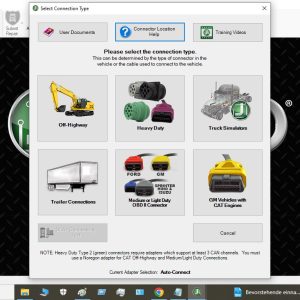
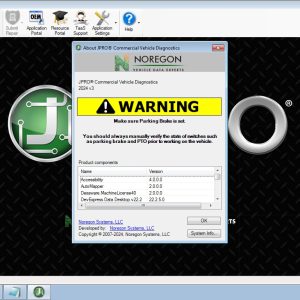
JPRO 2025 v2 / 2024 v3: Noregon DLA+ 3.0 (USB) — J1939/J1708 required. Standard ELM327 not supported.
Cummins INSITE 8.9: Inline 7 adapter (USB or Bluetooth) — Inline 5/6 compatible on most engines
CAT ET 2019C: CAT Comm Adapter III (USB/WiFi) — 3rd-party J2534 adapters work for basic OBD but not programming
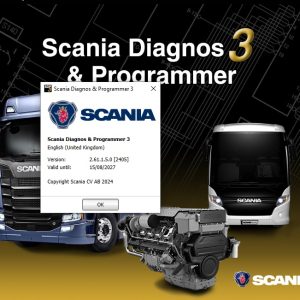
Scania SDP3 v2.65: VCI 3 (USB) — Scania-proprietary protocol. No generic J2534 support.
Detroit DDDL 8.19: Dearborn DG-Tech DPA5 — J1939 over USB. ELM327 is incompatible.
WABCO Toolbox 13.7: WABCO Diagnostic Controller II (USB) or generic J2534 for read-only functions
Volvo TechTool 2.8.x: VOCOM I (88890300) or VOCOM II (88894000) — VCADS Pro adapters not compatible with PTT 2.8+
ODIS Service 25: VAS 5054A (UDS/CAN) or VAS 6154 (WiFi) — third-party VCDS cables have read-only access only
Installation Environment Requirements
Dedicated PC or VM recommended: Do not install truck diagnostic software alongside passenger car tools — shared Java runtimes cause conflicts (ODIS, INSITE, and SDP3 each require specific JRE versions)
Windows 10 Pro 64-bit: All software in this category is tested on Win10 Pro. Win11 supported with compatibility mode for JPRO and DDDL.
Antivirus exception: Add the software directory to AV exclusions before installation — heuristic engines flag diagnostic DLLs as suspicious (false positive)
Static IP or offline network: For software that performs license checks at startup, a stable network or full offline mode prevents unexpected deactivation
Frequently Asked Questions
{
“@context”: “https://schema.org”,
“@type”: “FAQPage”,
“mainEntity”: [
{
“@type”: “Question”,
“name”: “Does this software require an internet connection to run?”,
“acceptedAnswer”: {
“@type”: “Answer”,
“text”: “No. All software in this category is configured for fully offline operation. Activation is completed before delivery. No license server connection is required after installation. This makes it suitable for workshop environments without permanent internet access.”
}
},
{
“@type”: “Question”,
“name”: “Is the software VIN-locked to a specific vehicle?”,
“acceptedAnswer”: {
“@type”: “Answer”,
“text”: “No. Unlike some dealer-exclusive subscriptions, the software in this category works on unlimited vehicles within its supported brand and model range. There are no per-VIN or per-vehicle fees.”
}
},
{
“@type”: “Question”,
“name”: “Can I install on multiple computers?”,
“acceptedAnswer”: {
“@type”: “Answer”,
“text”: “Yes. Each purchase includes a pre-configured installation package that can be set up on one PC or VM at a time. For multi-PC deployment, contact us for workshop licensing options.”
}
},
{
“@type”: “Question”,
“name”: “Will this software work with a generic J2534 adapter?”,
“acceptedAnswer”: {
“@type”: “Answer”,
“text”: “It depends on the software. JPRO, DDDL, and Scania SDP3 require proprietary VCI interfaces. CAT ET and WABCO Toolbox have limited J2534 support for read-only functions. Full ECU programming always requires the manufacturer-specified interface. Each product listing specifies compatible VCI models.”
}
}
]
}
Showing 1–12 of 17 results
-
OEM SOFTWARES
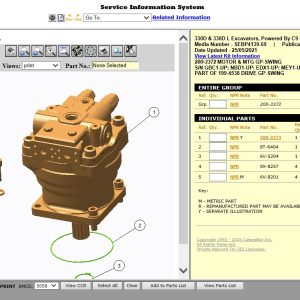
Caterpillar SIS 2022 Service Information System CAT Diagnostic Repair Software
149.00 $ Add to cart -
OEM SOFTWARES
Noregon Commercial Fleet Diagnostic Software JPRO 2024 v3 unlimited PCs install
99.00 $ Add to cart