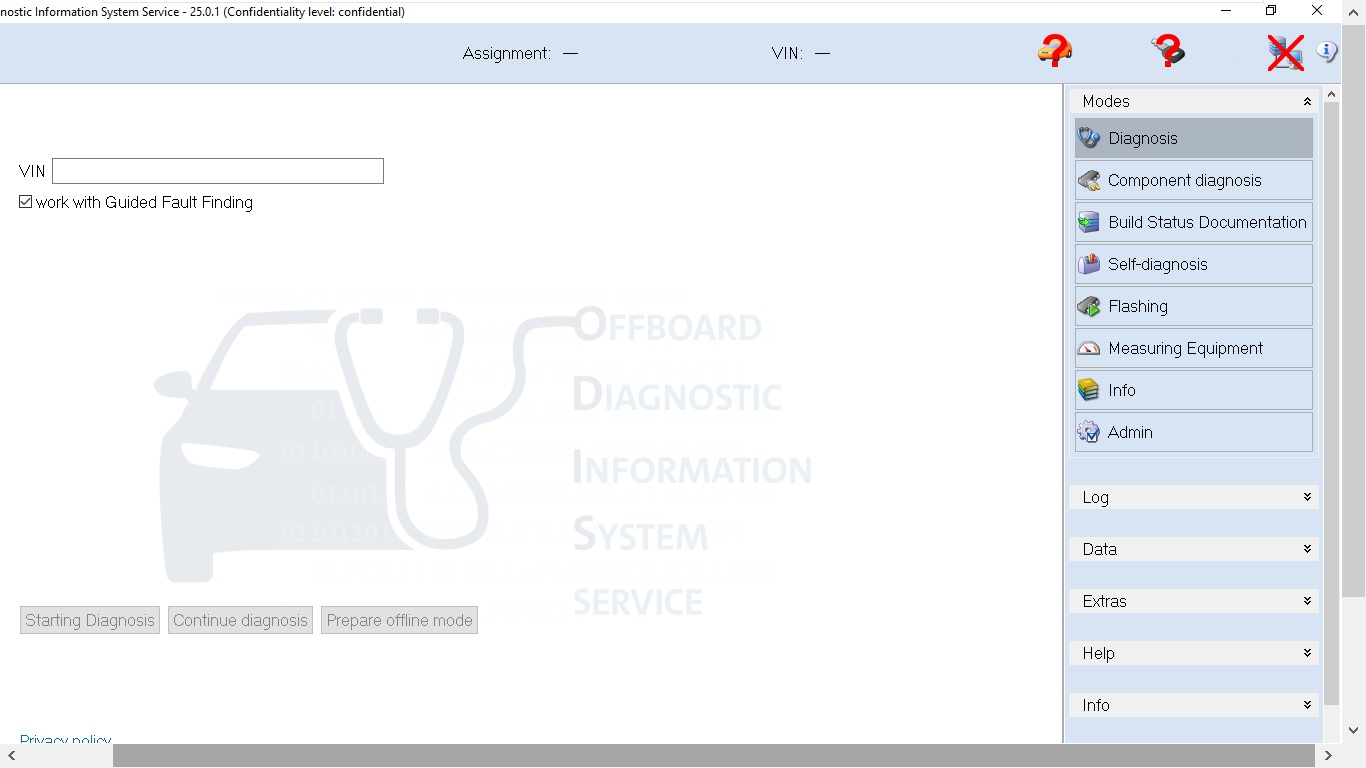
Experience a ready-to-use virtual machine containing ODIS Service 25 and ODIS Engineering 19, fully configured for fast and stable diagnostics on Volkswagen, Audi, Seat, Skoda and other VAG group vehicles.
This package is ideal for users who want a simple plug-and-play setup without spending hours installing, configuring, or troubleshooting the software.
✔ What You Receive
- \t
- \t
Pre-installed Windows Virtual Machine (VM)
\t \t - \t
ODIS Service 25 fully set up
\t \t - \t
ODIS Engineering 19 fully set up
\t \t - \t
Drivers and system components already configured
\t \t - \t
Ready for diagnostic work, coding, flashing, and guided functions
\t
✔ Features & Benefits
- \t
- \t
No installation required
\t \t - \t
Compatible with common VCI interfaces
\t \t - \t
Safe, isolated environment (runs inside the VM)
\t \t - \t
Works on laptops and PCs that support virtualization
\t \t - \t
Suitable for workshop use, technicians, and enthusiasts
\t
✔ Requirements
- \t
- \t
Windows 10 / 11 64-bit
\t \t - \t
Virtualization enabled (Intel VT-x or AMD-V)
\t \t - \t
8–16 GB RAM recommended
\t \t - \t
Enough disk space for the virtual machine files
\t \t - \t
USB 3.0 for faster interface passthrough
\t
✔ Supported Brands
- \t
- \t
Volkswagen
\t \t - \t
Audi
\t \t - \t
Seat
\t \t - \t
Skoda
\t \t - \t
Bentley
\t \t - \t
MAN (limited functions depending on interface)
\t
Learn more: ODIS Service 25 + Engineering 19 VMware Complete Guide — setup, requirements, error codes, and FAQs.
\n\n\n\n\n
? Pre-installed, no setup needed | ? Instant delivery | ? Snapshot included | ? Lifetime access
\n\n? Value context: A professional workshop subscription for ODIS Service costs €500+/year from Volkswagen Group. This pre-installed VM includes both ODIS Service 25 AND ODIS Engineering 19 for a one-time payment — no subscriptions, no renewal fees.\n\n
Is ODIS Service 25 VM Right for You?
\n- \n
- ✅ Buy this if: You work on VW, Audi, Skoda, Seat, Bentley or MAN and want a plug-and-play diagnostic setup. \n
- ✅ Buy this if: You have struggled with ODIS installation errors, Java conflicts, or driver issues on your main PC. \n
- ✅ Buy this if: You need both ODIS Service (customer-facing diagnostics) AND ODIS Engineering (deep coding + adaptation) in one VM. \n
- ❌ Skip this if: You only need basic OBD2 fault code reading — a generic VCDS Lite tool is cheaper for that purpose. \n
Tested and verified by the Firstdiag technical team. All software is confirmed working on Windows 10/11 before listing. Questions? Contact our technicians via the support page.
Reviews
There are no reviews yet.