Learn more: Renault CAN Clip V236 Complete Guide — setup, requirements, error codes, and FAQs.
OEM SOFTWARES
Renault CAN Clip 236 Software Diagnostic Program Digital Download OBD2 Dacia Nissan
⭐ Be the first to review this product. After purchase, your review helps other technicians make the right call.
Leave a Review ↓
Professional Diagnostic Software for Renault Vehicles – Digital Download
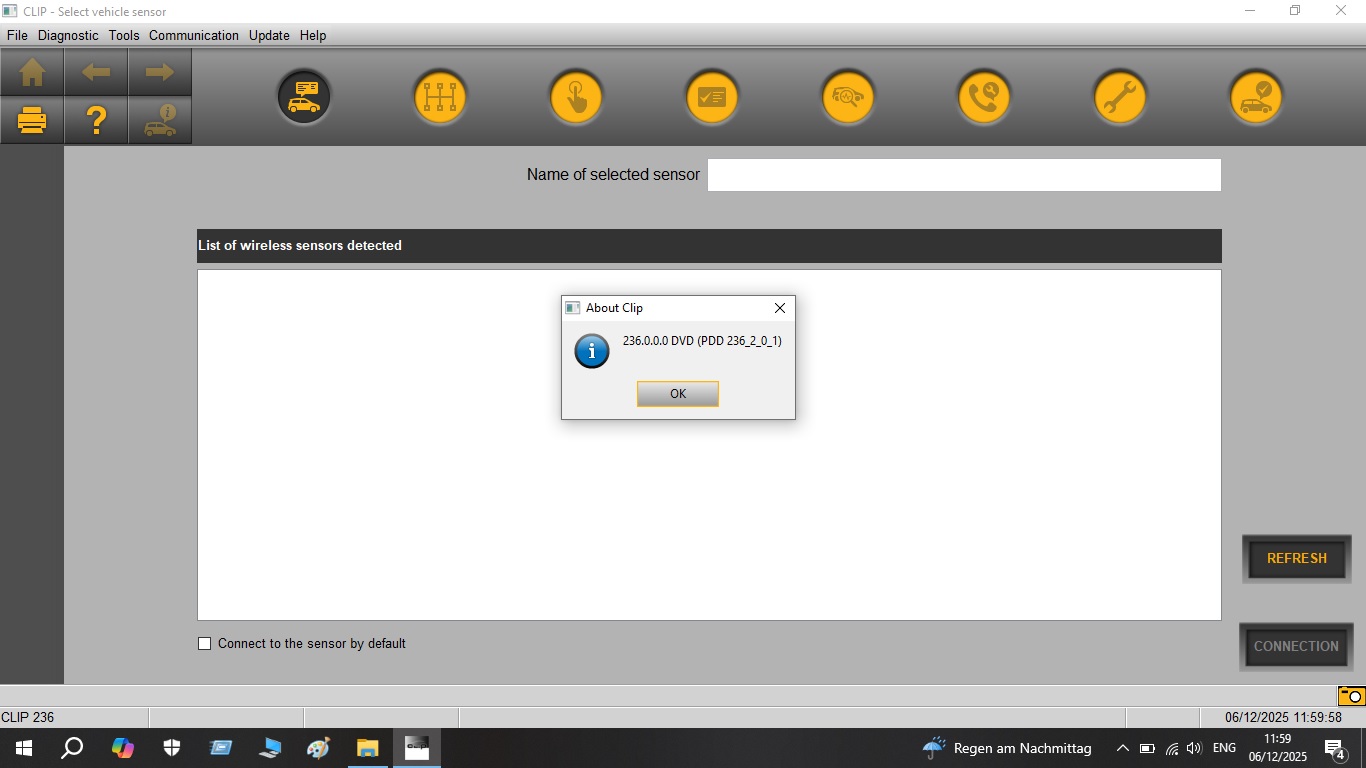
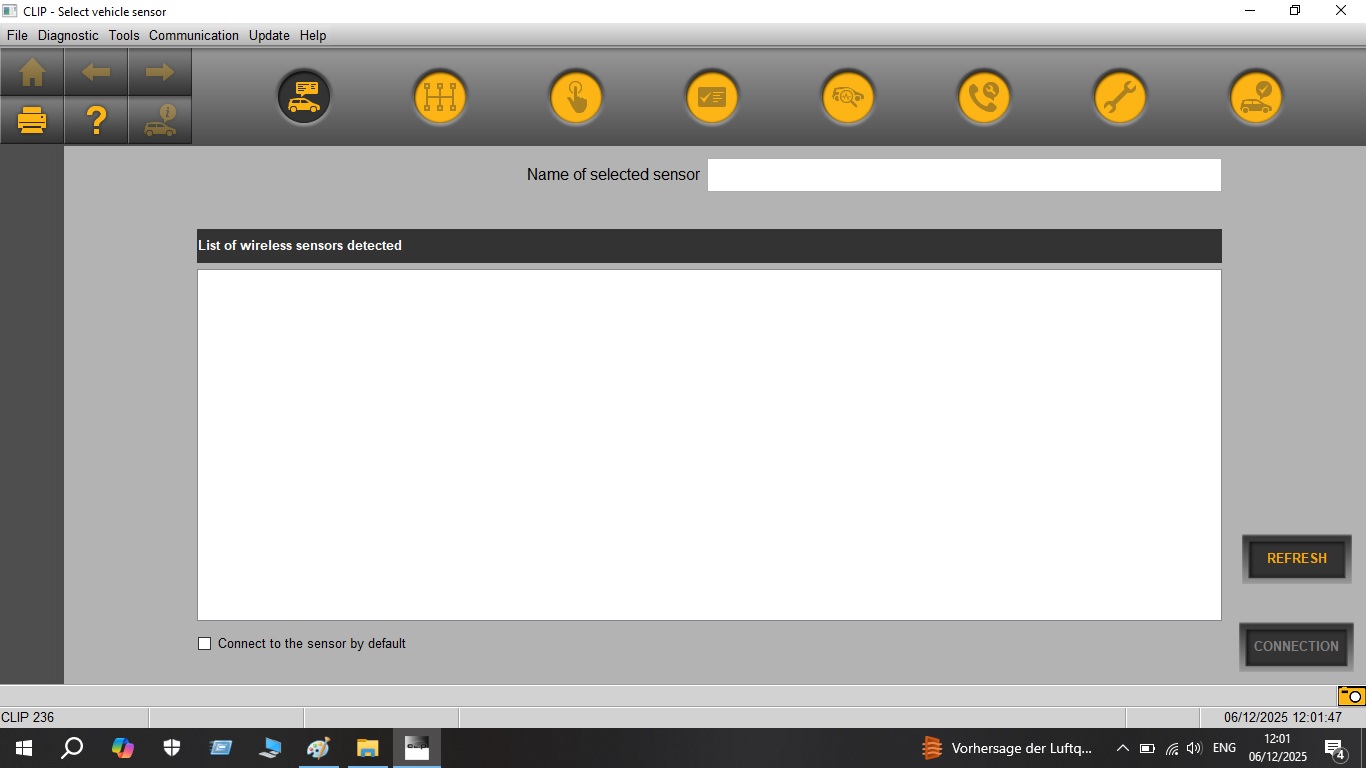
Renault CAN Clip Software Version 236 is a comprehensive diagnostic program designed specifically for Renault, Dacia, and Nissan vehicles. This professional-grade software allows you to perform advanced diagnostics, read and clear fault codes, and access various vehicle systems when used with a compatible OBD2 interface.
Key Features:
Wide Vehicle Coverage – Compatible with Renault, Dacia, and Nissan models from 1998 onwards, supporting the latest vehicle systems and modules
Comprehensive Diagnostics – Read and clear diagnostic trouble codes (DTCs) from all electronic control units including engine, transmission, ABS, airbag, climate control, and more
Advanced Functions – Perform coding, adaptations, programming, and configuration functions for various vehicle components and systems
Multi-Language Support – Available in multiple languages including English, French, German, Spanish, and more
Real-Time Data Monitoring – View live sensor data and monitor vehicle parameters in real-time for accurate troubleshooting
Professional Features – Access service functions, ECU information, component testing, and special procedures
What You’ll Receive:
Renault CAN Clip Software Version 236 (Digital Download)
Installation instructions and setup guide
Download link delivered immediately after purchase
Requirements:
Compatible OBD2 diagnostic interface (not included – hardware must be purchased separately)
Windows PC (Windows 7, 8, or 10 recommended)
USB port for interface connection
Minimum 4GB RAM, 20GB free disk space
Applications:
Perfect for professional mechanics, auto repair shops, Renault specialists, and automotive enthusiasts who want professional-level diagnostics for Renault, Dacia, or Nissan vehicles.
Compatible Systems:
Engine Management
Transmission/Gearbox
ABS/ESP
Airbag/SRS
Climate Control
Body Control Module
Instrument Cluster
And many more vehicle systems
Important Notes:
This listing is for SOFTWARE ONLY – Digital Download. You will need to purchase a compatible CAN Clip interface separately to use this software. The software requires basic automotive diagnostic knowledge and Windows PC. Please ensure your vehicle and interface are compatible before purchasing.
Instant Digital Delivery – Download link will be provided immediately after purchase completion.
{
“@context”: “https://schema.org”,
“@type”: “FAQPage”,
“mainEntity”: [
{
“@type”: “Question”,
“name”: “What vehicles does Renault CAN Clip 236 support?”,
“acceptedAnswer”: {
“@type”: “Answer”,
“text”: “Renault CAN Clip 236 supports all Renault vehicles from 1998 onwards, Dacia models from 2004, and selected Nissan models sold in Europe. Coverage includes all ECUs: engine, gearbox, ABS, airbag, climate, dashboard, and body modules.”
}
},
{
“@type”: “Question”,
“name”: “What interface does Renault CAN Clip require?”,
“acceptedAnswer”: {
“@type”: “Answer”,
“text”: “Renault CAN Clip requires the official CAN Clip interface (a specific USB dongle/adapter). Compatible clone interfaces are also widely available. The software will not run without the CAN Clip hardware interface connected.”
}
},
{
“@type”: “Question”,
“name”: “Does Renault CAN Clip work on Windows 10 and Windows 11?”,
“acceptedAnswer”: {
“@type”: “Answer”,
“text”: “Renault CAN Clip natively supports Windows 7 and Windows XP. On Windows 10 and Windows 11, compatibility issues are common. The recommended approach is to run it in a virtual machine or use a dedicated laptop with an older Windows installation.”
}
},
{
“@type”: “Question”,
“name”: “Can Renault CAN Clip program UCH (body control module)?”,
“acceptedAnswer”: {
“@type”: “Answer”,
“text”: “Yes. Renault CAN Clip supports UCH (Unite Centrale Habitacle) programming, immobilizer functions, and key card programming u2014 functions exclusive to the official CAN Clip software and not available in generic OBD2 tools.”
}
}
]
}
Related products
-
OEM SOFTWARES
Caterpillar SIS 2022 Service Information System CAT Diagnostic Repair Software
149.00 $ Add to cart
Reviews
There are no reviews yet.