
Scania Diagnos & Programmer 3 (SDP3) v2.65 is the official OEM diagnostic and programming software used by Scania service workshops worldwide. It communicates directly with all Scania vehicle control units via CAN, giving you full read/write access to every ECU system — fault codes, live data, calibrations, parameter adjustments, and ECU software updates.
What You Can Do
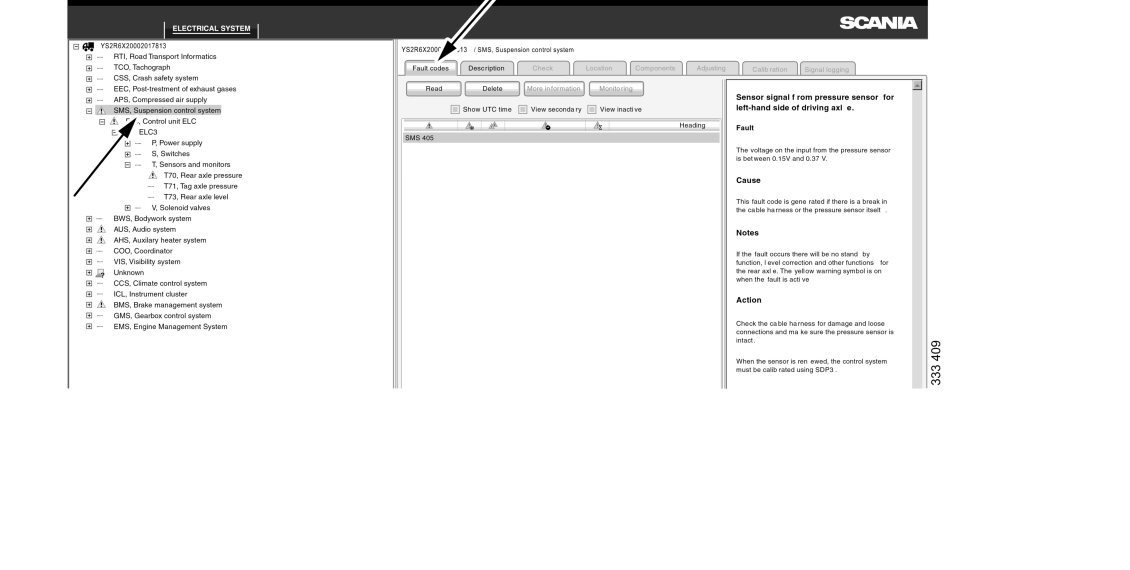
- Read & clear fault codes — active and inactive, primary and secondary, with full Fault / Cause / Notes / Action descriptions per code
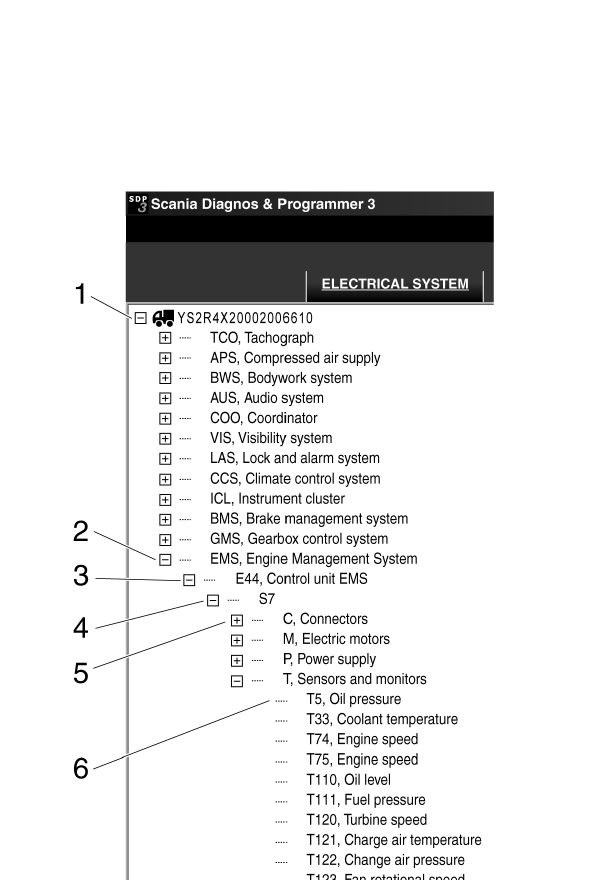
- Live signal monitoring — real-time data from all sensors and actuators across all ECU systems simultaneously
- Checks & adjustments — activate components, run guided diagnostic wizards, adjust customer parameters
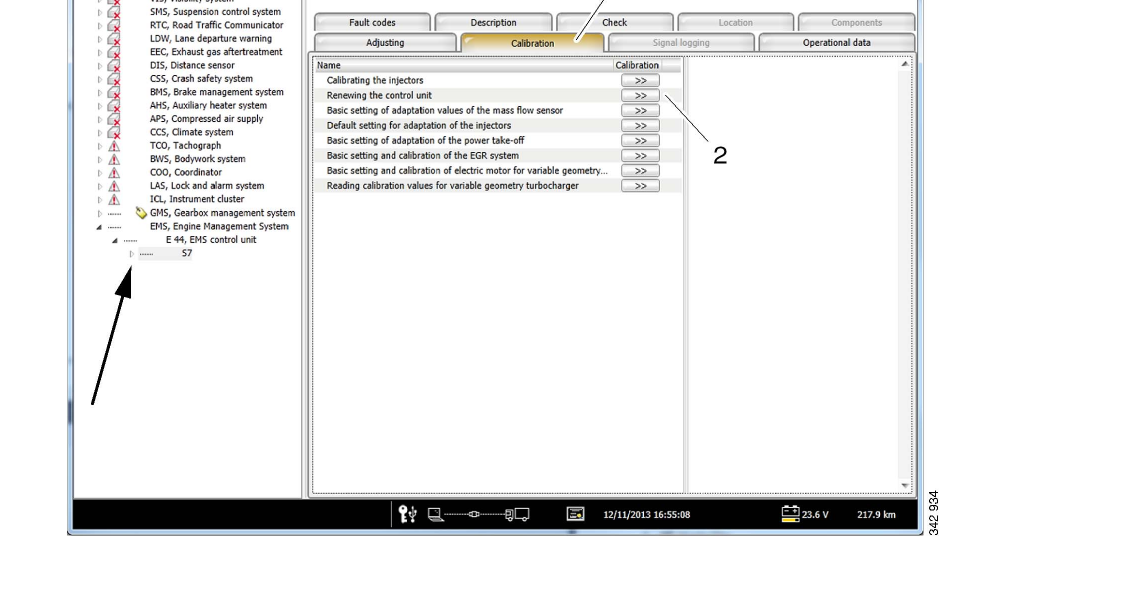
- Calibration — injector calibration, mass flow sensor adaptation, EGR system, variable geometry turbocharger, power take-off
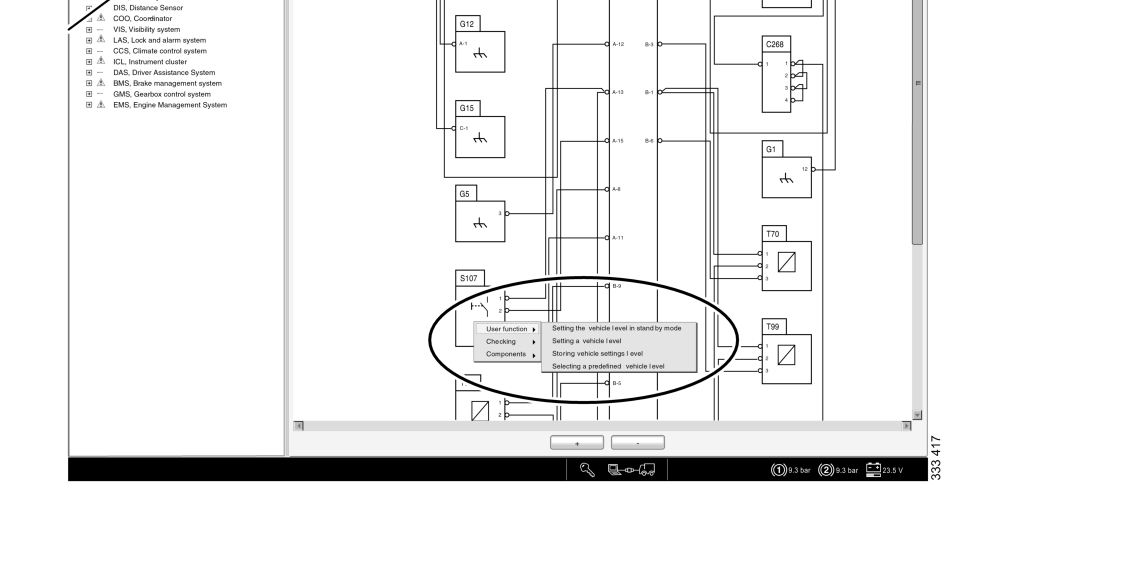
- Built-in circuit diagrams — interactive wiring schematics for every circuit, right-click navigation to components and user functions
- ECU software updates — program new software into control units from local database (offline)
- Spare part programming — configure replacement ECUs with correct SOPS vehicle specification file
- Signal logging — record and export signal data from any ECU server for offline analysis
- Bodywork & conversion — body builder programming and parameter conversions affecting the electrical system
ECU Systems Covered
EMS (Engine Management) · COO (Coordinator) · GMS (Gearbox) · EBS (Electronic Braking) · ABS · BMS (Brake Management) · SMS (Suspension) · APS (Air Supply) · ACS (Air Control) · CCS (Climate) · ICL (Instrument Cluster) · TCO (Tachograph) · VIS (Visibility) · LAS (Lock & Alarm) · OPC · PTO · Retarder · BDC-DCU3 · EEC (Exhaust Aftertreatment) and more
Vehicle & Engine Coverage
- Trucks: L, P, G, R, S series (2016+) · P, G, R, T series (2003–2018)
- Buses: C, K series (2020+) · F, K, N series (2004+)
- Industrial & Marine engines: P96 (1996–2017) · E2011 (2010+)
System Requirements
- OS: Windows 7 / 8 / 10 (64-bit) — Windows 11 supported with extra steps
- Interface required: Scania VCI2 (USB) or Scania VCI3 (USB / WiFi / Bluetooth)
- RAM: 4 GB minimum · Disk: 8 GB free (3.6 GB installed)
- Runtime: .NET Framework 4.8 · VC++ 2015–2019 (included in installer)
- BIOS: Secure Boot must be disabled for the dongle driver to load
Important Notes
- Scania VCI2 or VCI3 is required for live vehicle communication. ELM327, J2534, and generic OBD2 adapters are NOT compatible — SDP3 uses Scania proprietary SCOMM/CAN protocol
- Online ECU downloads and remote diagnostics require active Scania server (not available in this offline version)
- Full offline diagnostics, fault reading, calibrations, and parameter programming work without internet connection
- Available in 25+ languages: EN, DE, FR, ES, IT, RU, PL, TR, NL, JP, KR, CN and more
📚 Scania SDP3 v2.65 — Complete Documentation
Everything you need to get started with Scania SDP3 v2.65:
- Complete Installation & Setup Guide
- System Requirements & Adapters
- Fault Codes & Troubleshooting
- Version History (v2.65 vs v2.61)
- Run on VMware Guide
- Beginner’s Guide
- FAQ — Top 20 Questions
Learn more: Scania SDP3 v2.65 Complete Guide — setup, requirements, error codes, and FAQs.
Reviews
There are no reviews yet.