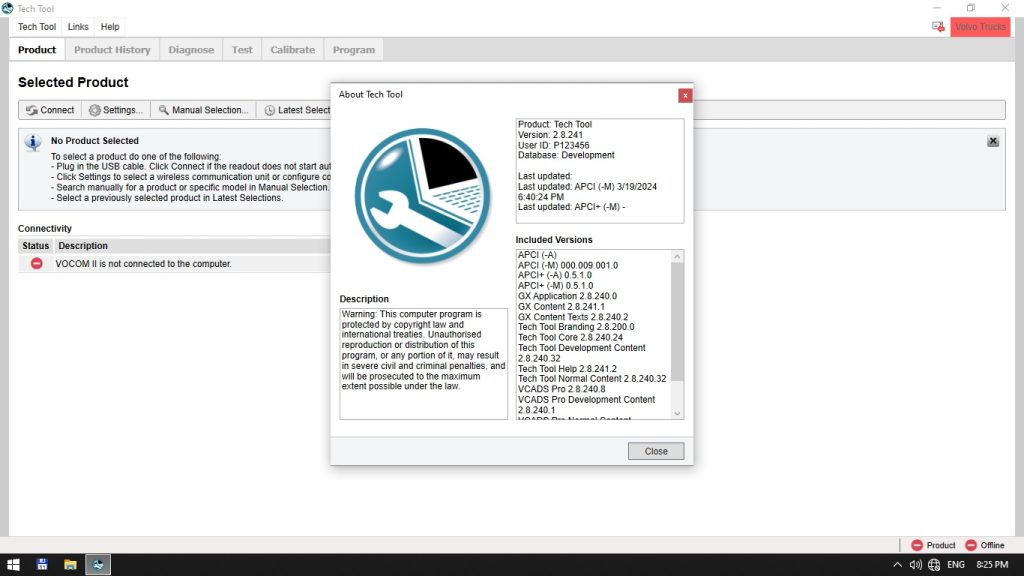
Tech Tool is a powerful diagnostic platform that enables truck and car technicians to quickly assess critical engine parameters on Volvo FH4 and FM4 trucks. This tutorial demonstrates how to use Tech Tool to evaluate diesel circuit performance, turbo pressure, fuel consumption, and related sensor data, helping you pinpoint common issues efficiently.
What You Will Learn
- How to connect Tech Tool to a Volvo FH4/FM4 ECU and access live data streams.
- Methods for measuring and interpreting fuel consumption at idle and under load.
- Techniques for monitoring turbo inlet pressure and identifying pressure losses.
- Procedures to check engine fuel pressure and diagnose pump or filter problems.
- How to read engine load, RPM, coolant temperature, and accelerator pedal position simultaneously.
- Steps to isolate causes of high fuel usage, low turbo pressure, and low fuel pressure.
- Best‑practice tips for accurate data collection and troubleshooting.
Step-by-Step Walkthrough
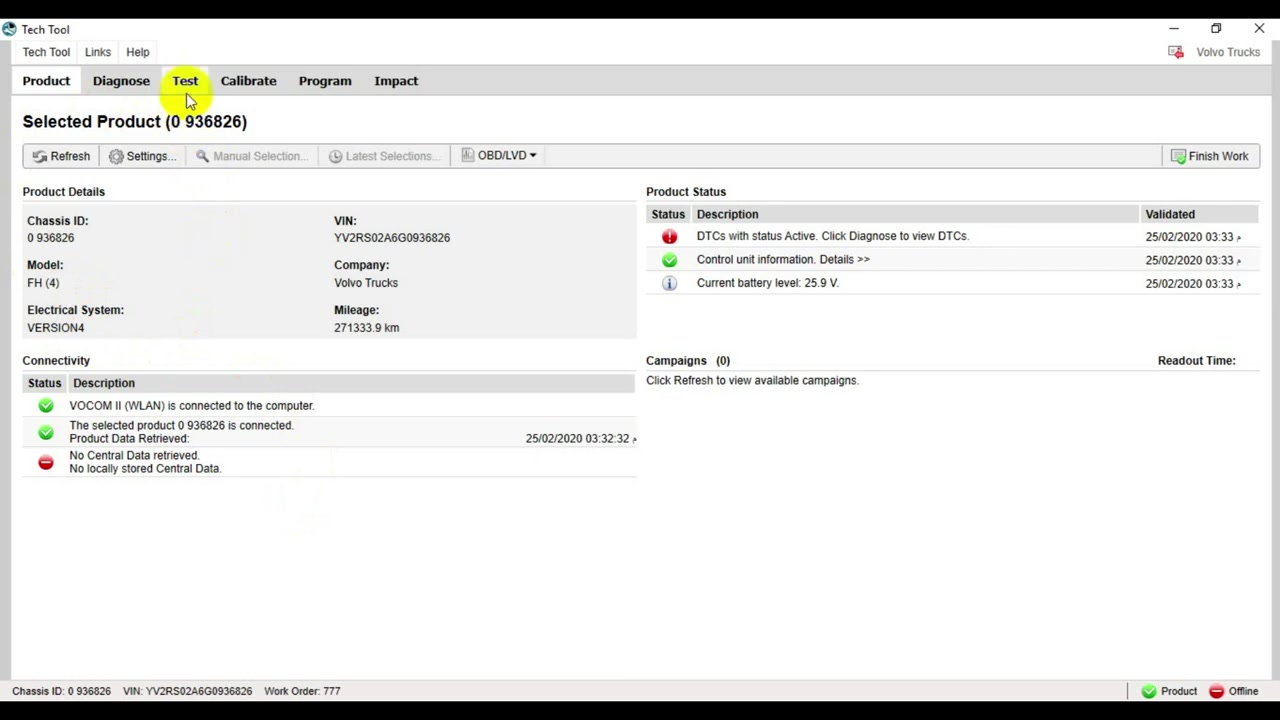
1. Launch Tech Tool on a laptop equipped with the appropriate OBD‑II/DLC cable. Select the Volvo FH4/FM4 ECU from the vehicle list and click Connect. The software will establish communication and display the main dashboard.
2. Navigate to the Live Data tab and enable the following parameters: Fuel Consumption (L/h), Turbo Inlet Pressure (kPa), Engine Fuel Pressure (kPa), Engine Load (%), RPM, Coolant Temperature (°C), and Accelerator Pedal Position (%). This configuration provides a comprehensive view of engine health.
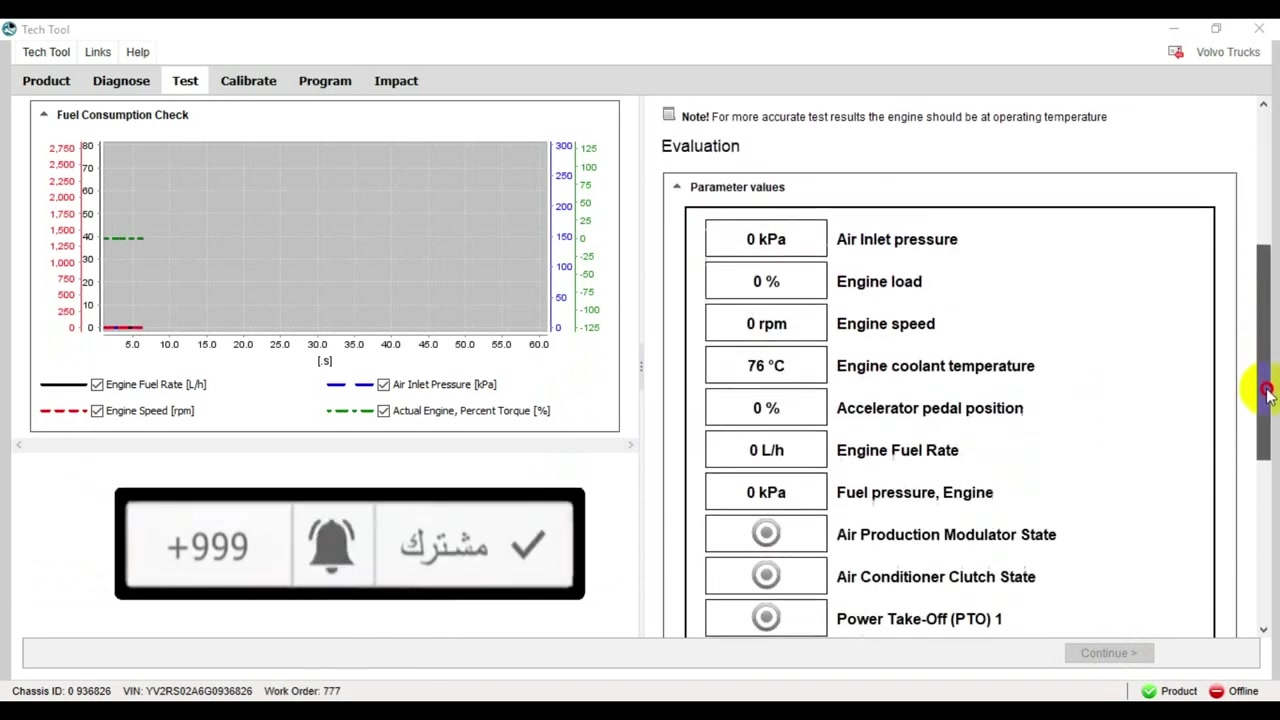
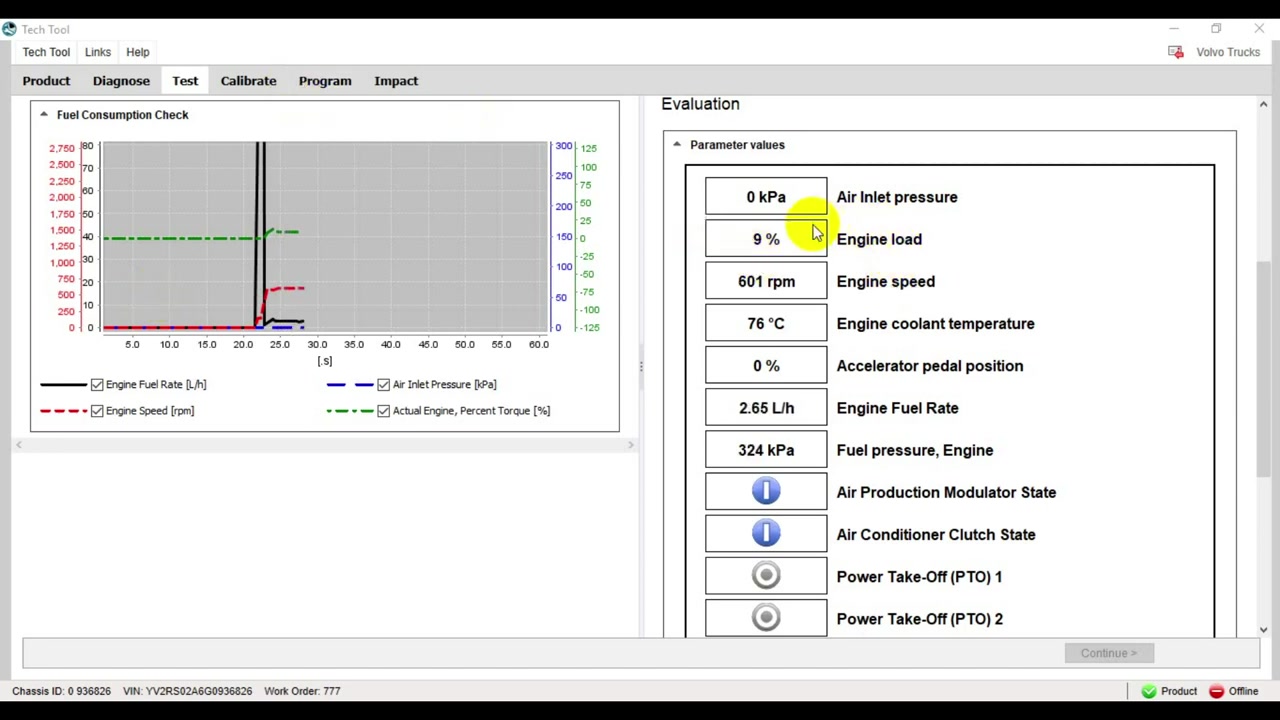
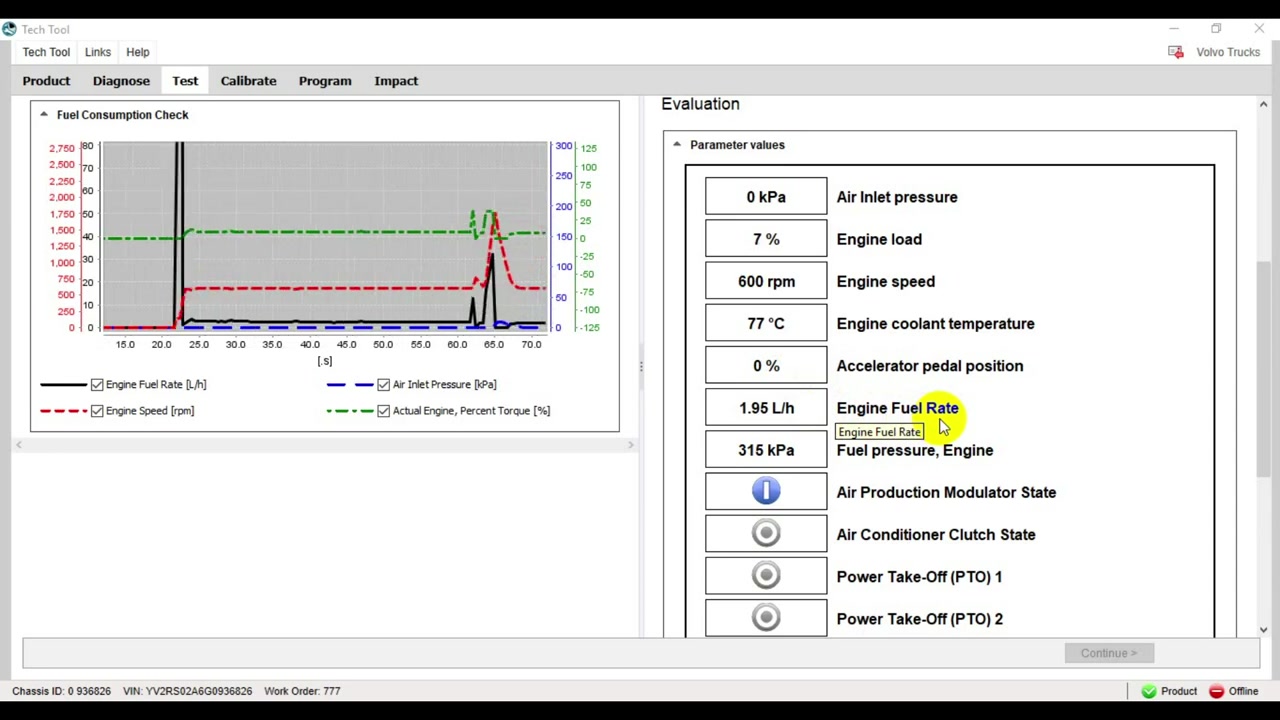
3. Warm the engine to normal operating temperature (coolant temperature should read between 85 °C and 95 °C). Once the temperature stabilizes, observe the idle fuel consumption at 600 RPM. Record the value; a normal range is 1.8‑2.5 L/h. Values above 4‑5 L/h indicate excessive consumption.
4. To test turbo performance, request a gentle acceleration to 1200 RPM while keeping the vehicle stationary. Watch the Turbo Inlet Pressure reading; it should rise above 10 kPa during acceleration. If the pressure stays below this threshold, the turbo or related airflow components may be compromised.
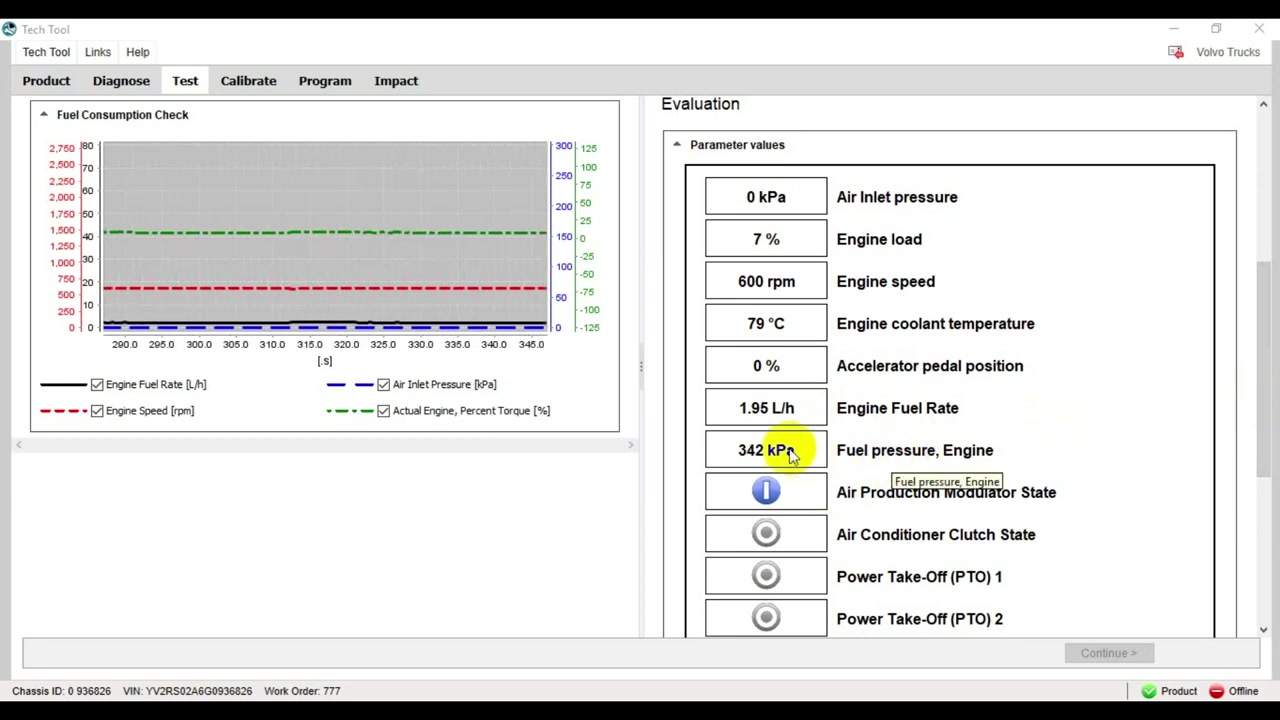
5. Check engine fuel pressure by selecting the Fuel Pressure gauge while the engine idles at 600 RPM. The pressure should be greater than 250 kPa. A reading lower than this suggests a clogged filter, weak pump, or air leak in the fuel line.
6. While the engine is still idling, note the Engine Load and RPM values. A high load at low RPM can point to injector wear or throttle restriction. Compare the Accelerator Pedal Position with the load curve; mismatches often reveal sensor calibration issues.
7. If any parameter is out of spec, use Tech Tool’s Diagnostic Trouble Codes (DTC) viewer to pull stored codes. Cross‑reference the codes with the live data to narrow down the root cause—e.g., a P2A00 code combined with low fuel pressure reinforces a fuel pump problem.
8. After completing the analysis, generate a PDF report directly from Tech Tool. The report includes time‑stamped graphs of all monitored parameters, making it easy to share findings with service managers or the vehicle owner. Save the file to a network drive for future reference.
Key Features of Tech Tool
- Real‑time multi‑parameter monitoring with customizable dashboards.
- Integrated DTC retrieval and live‑data correlation for faster fault isolation.
- High‑resolution fuel consumption and turbo pressure graphs for trend analysis.
- One‑click PDF report generation with timestamped data plots.
- Support for Volvo proprietary communication protocols and ECU families.
- Built‑in sensor calibration utilities for accelerator pedal and temperature sensors.
Compatible Vehicles and ECUs
Tech Tool version 2024.3 supports the following Volvo heavy‑duty platforms: Volvo FH4 (ECU: D7‑E, D7‑F), Volvo FM4 (ECU: D7‑E, D7‑F), and related chassis equipped with the D7 engine family. The software also interfaces with the latest Euro 6 emission control modules and can read data from auxiliary systems such as the intercooler temperature sensor and turbo boost controller.
Pro Tips
- Always verify that the engine has reached operating temperature before measuring idle fuel consumption; cold engines consume significantly more fuel.
- When low turbo pressure is detected, inspect the intercooler for external blockage and check the throttle body for carbon buildup before removing the turbo.
- For low fuel pressure, replace the fuel filter first, then test the pump output; a failing pump often shows a gradual pressure drop rather than an immediate loss.
- Use the injector cleaning function in Tech Tool to run a short high‑pressure purge; this can restore performance in mildly clogged injectors without immediate part replacement.
- Document any air‑in‑line leaks by performing a pressure‑test on the fuel lines after disconnecting the pump, as small leaks can cause both low pressure and erratic consumption.
By mastering these Tech Tool procedures, technicians can quickly diagnose diesel circuit and turbo issues on Volvo FH4 and FM4 trucks, reducing downtime and improving fleet efficiency.
Frequently Asked Questions
How to check diesel consumption on a Volvo FH4 truck?
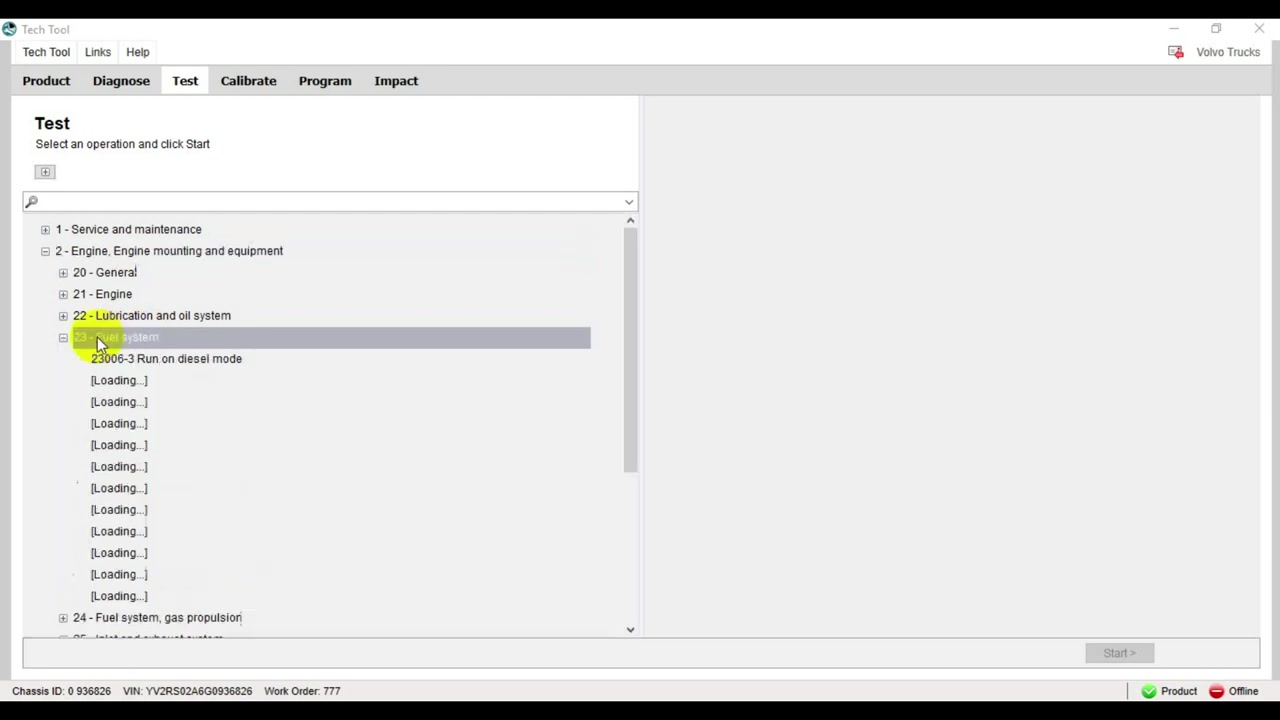
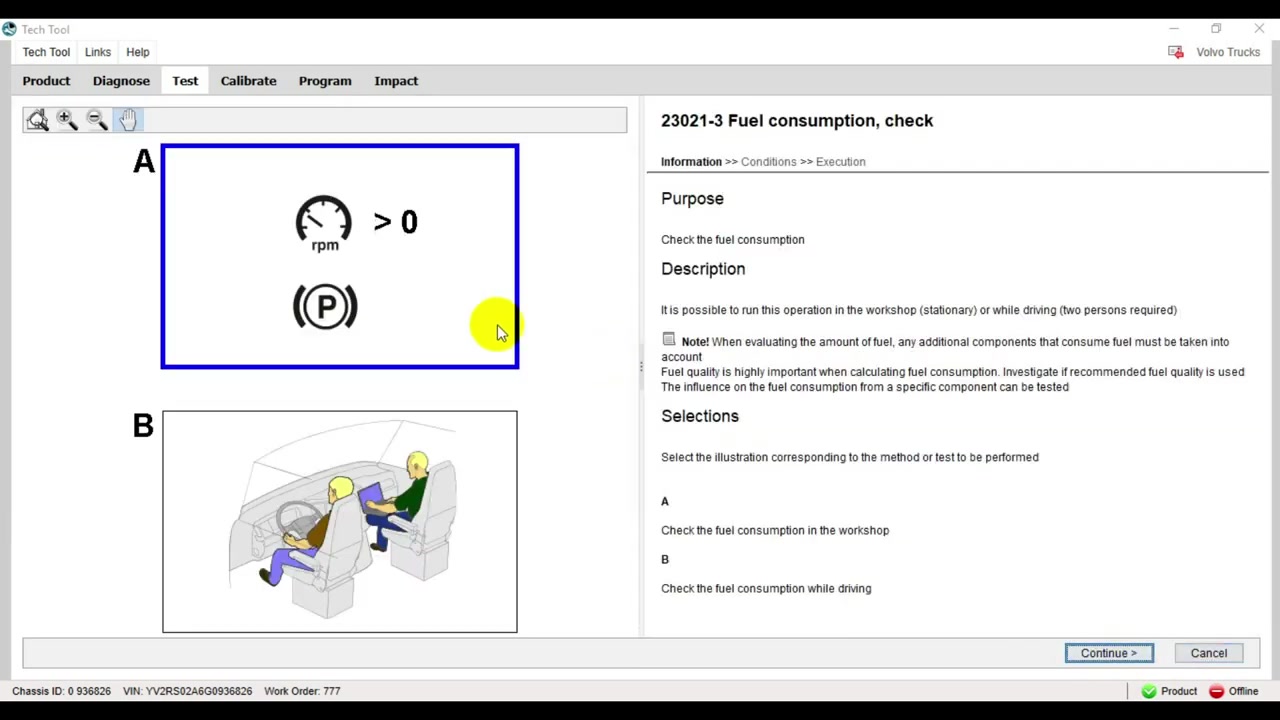
Use Tech Tool, navigate to Test -> Engine -> Fuel system -> Fuel consumption, check. Select stationary test, start engine, and monitor “Engine Fuel Rate” at 600 RPM.
What is a normal fuel consumption rate for a Volvo FH4 at idle?
Around 1.8-2.5 L/h at 600 RPM.
How to check turbo pressure on a Volvo FH4?
In Tech Tool, monitor “Air Inlet pressure”. When accelerating the engine to full RPM, the pressure should not drop below 10 kPa.
What does low turbo pressure indicate?
It could indicate a clogged intercooler, clogged throttle, or a problem with the turbo itself.
How to check fuel pressure on a Volvo FH4?
In Tech Tool, monitor “Fuel pressure, Engine”. At 600 RPM, it should be above 250 kPa.
Ready to use Tech Tool in your workshop? Download it directly from firstdiag.com — instant delivery, no subscription needed.