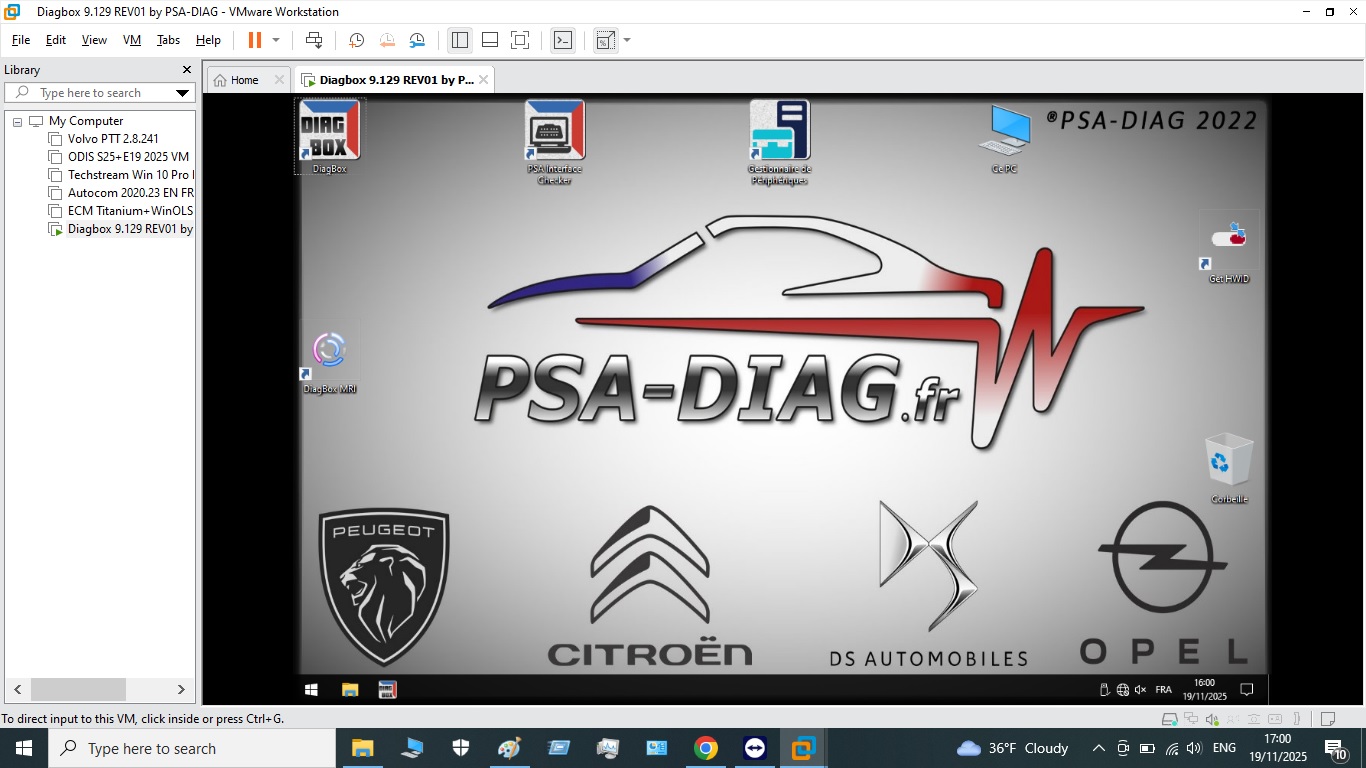
Diagbox Lexia 9.129 is the official dealer-level diagnostic software from PSA Group (Stellantis) for Peugeot, Citroën, DS, and Opel/Vauxhall PSA-platform vehicles. This pre-configured VMware virtual machine runs on any Windows 10 or 11 PC — no native installation headaches, no compatibility workarounds. Import, connect your Lexia 3 interface, and you have full dealer access within minutes.
Supported Vehicles
- Peugeot: 107, 206, 207, 208, 301, 308, 407, 408, 508, 2008, 3008, 5008, Expert, Partner, Boxer (up to 2022)
- Citroën: C1, C2, C3, C4, C5, C6, C8, Berlingo, Jumpy, Jumper, DS3, DS4, DS5 (up to 2022)
- DS Automobiles: DS3 Crossback, DS4, DS7 Crossback, DS9
- Opel / Vauxhall: Corsa E/F, Astra K, Grandland X, Crossland X (PSA-platform, 2017 onward)
What Diagbox 9.129 Can Do
- Read ECU identification — part number, software/hardware version, calibration, manufacturer data
- Read & clear fault codes — all systems: engine, gearbox, ABS, airbag, BSI, dashboard, climate, and all body modules. Supports printing and clipboard export.
- Auto-Scan (full vehicle scan) — polls every installed ECU and retrieves all stored diagnostic trouble codes in one pass
- Live data (measuring values) — engine RPM, coolant temperature, fuel pressure, lambda sensors, injector pulse widths, and more. View as graphs or list. Data logging to file for offline analysis.
- Actuator tests — activate individual components: injectors, fuel pump, EGR valve, DPF heater, fans, solenoids, door locks, and more
- ECU programming & coding — flash and configure ECUs with PSA calibration files
- BSI configuration & reset — full BSI reconfiguration after replacement; write VIN, mileage, and vehicle options to a new BSI unit
- Airbag reset — clear crash data from the airbag module after accident repair
- DPF forced regeneration — initiate a forced DPF regen cycle with live differential pressure and temperature monitoring
- Service interval reset — oil service, brake fluid, air filter, and other maintenance counters
- Key & transponder programming — add new keys, delete lost keys, program remote fobs
- Guided fault-finding (GFF) — step-by-step dealer repair procedures for each DTC
- Brake service (EPB) — retract and re-apply electronic parking brake for rear pad replacement
- Suspension & steering calibration — steering angle sensor reset, active suspension calibration on supported models
Languages Available
English, French, German, Spanish, Portuguese, Italian, Dutch, Polish, Czech, Hungarian, Greek, Swedish, Turkish
VMware Virtual Machine — How It Works
Diagbox requires Windows XP or Windows 7 — operating systems most technicians no longer use. This VMware image contains a pre-configured Windows 7 environment with Diagbox 9.129 already installed, activated, and ready to use. Install VMware Workstation Player (free), import the image, and Diagbox launches automatically. No license management, no driver hunting, no compatibility tweaks needed.
Compatible Interfaces
- Lexia 3 PP2000 (USB) — all PSA vehicles, all Diagbox versions
- Diagbox DiagPlug (USB/WiFi) — newer CAN-bus vehicles
- Proxia — professional dealer-grade interface
- J2534 PassThru — CAN protocol vehicles
Diagbox 9.129 Guides & Resources
- Diagbox 9.129 Complete Guide: Download, Install & Use on PSA Vehicles
- Diagbox vs Lexia 3 vs PSA-COM: Best PSA Diagnostic Tool 2025?
- Diagbox 9.129 System Requirements: PC, Windows, Interface & VMware Specs
- How to Set Up Diagbox 9.129 in VMware on Windows 10 and 11
- Diagbox 9.129 for Beginners: Your First PSA Diagnostic Session
- Diagbox 9.129 FAQ: 18 Most Asked Questions Answered
Reviews
There are no reviews yet.