Volvo’s I-Shift automated manual transmission is one of the most advanced gearbox systems in the commercial truck industry. But like any precision system, it requires periodic calibration — particularly after clutch replacement, transmission rebuilding, or gearbox control unit servicing. Without proper calibration, the truck may exhibit harsh shifts, clutch slip, or transmission fault codes that put the vehicle out of service.
In this step-by-step guide, we walk through the complete Volvo I-Shift clutch and transmission calibration procedure using Volvo Tech Tool (PTT) v2.8 with a VOCOM II Tough USB interface on a Volvo FH (4th generation) truck — VIN YY2RLIE008NA87401, at 124,609 km.
Why I-Shift Calibration Is Required
Volvo Tech Tool requires a fresh calibration (Operation ID 40070-3) in the following situations:
- Gear control unit top cover replaced — the electronic controller loses its learned position data
- Clutch cylinder replaced — new cylinder geometry must be measured and stored
- Clutch plate(s) replaced — wear baseline must be reset to the new plate thickness
- Transmission rebuilt or replaced — all internal positions must be re-learned from zero
Skipping calibration after any of these repairs will cause the I-Shift ECU to use outdated positional data, leading to misaligned shift points, clutch hunting, or in severe cases a fully locked transmission with U-codes or P-codes in the fault memory.
Equipment Required
| Component | Specification |
|---|---|
| Diagnostic Software | Volvo Tech Tool (PTT) v2.8.10 or higher |
| Communication Interface | VOCOM II Tough (USB) or VOCOM I |
| Laptop | Panasonic Toughbook or any Windows 10/11 PC |
| Vehicle State | Propeller shaft connected, transmission installed in vehicle |
Important: Calibration cannot be performed with the transmission removed from the vehicle or with the propeller shaft disconnected. The procedure requires the drivetrain to be fully assembled and in a driveable state.
Step 1 — Connect and Identify the Vehicle
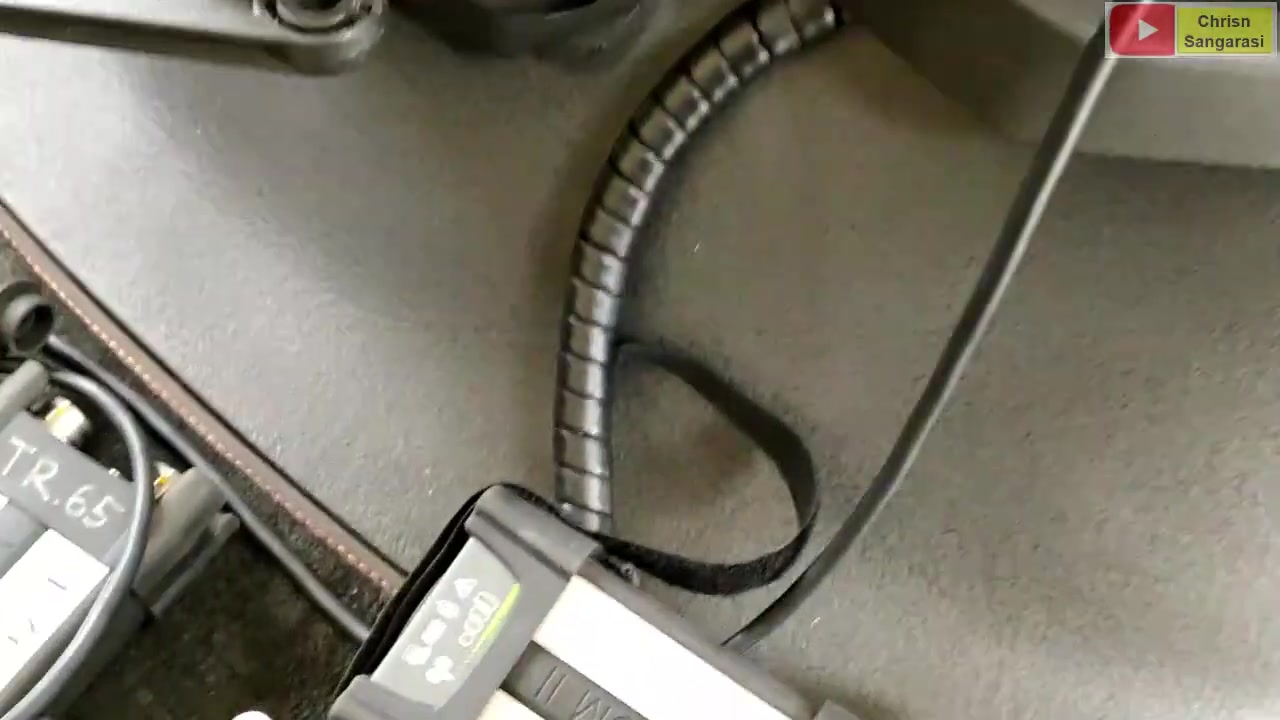
Launch Volvo Tech Tool and connect the VOCOM II interface to the truck diagnostic port. Tech Tool automatically reads the vehicle product information via the CAN bus:
- Chassis ID: A 867481
- VIN: YY2RLIE008NA87401
- Model: Volvo FH (4) — 4th generation
- Electrical System: VERSION4
- Mileage: 124,609.6 km
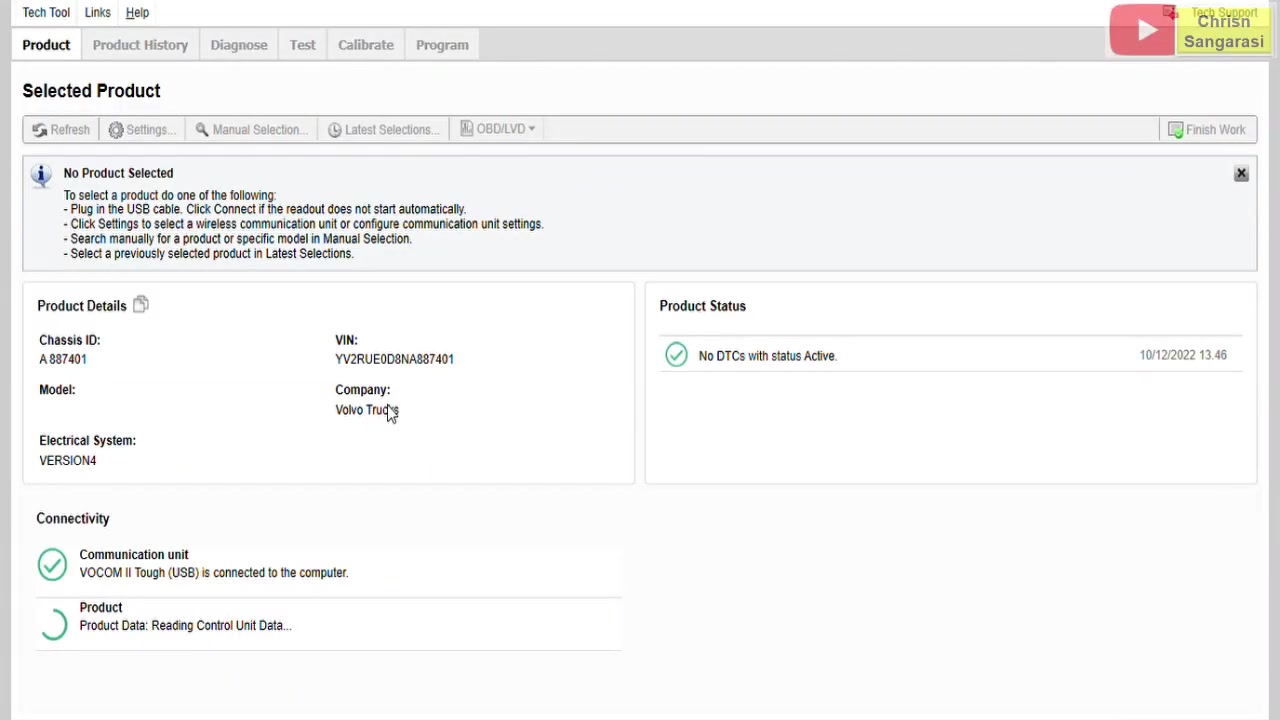
The initial Product Status screen shows “No DTCs with status Active” — confirming no pre-existing faults before beginning. Always verify this baseline before starting any calibration procedure.
Step 2 — Open the Calibrate Tab
In the Tech Tool main interface, click the Calibrate tab. The software runs a preparation routine that reads user info, product configuration, and current parameter values from all relevant ECUs.
This preparation phase takes approximately 90 seconds as Tech Tool communicates with the Gear Control Unit (GCU), Engine Control Unit (EECU), and other modules to build a full snapshot of the vehicle current state.
Step 3 — Select Operation 40070-3
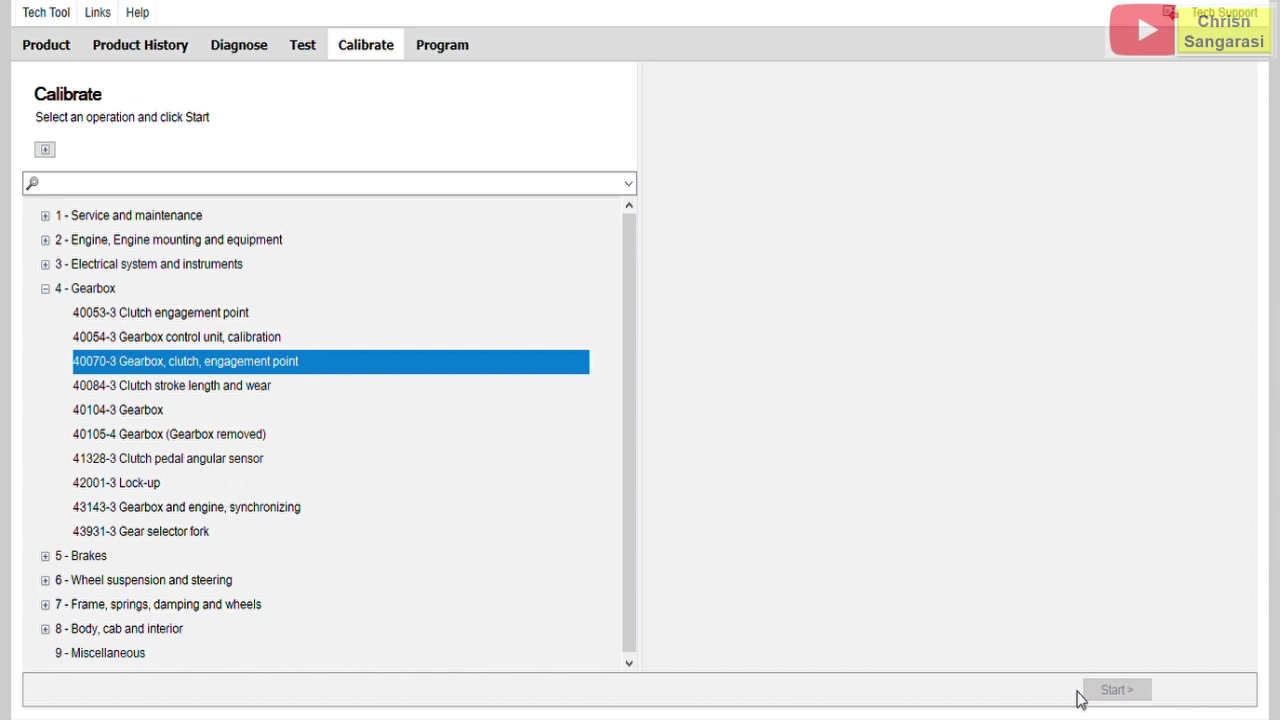
After preparations complete, Tech Tool displays all available calibration operations under the 4-Gearbox category:
| Operation ID | Description |
|---|---|
| 40054-3 | Gearbox control unit, calibration |
| 40055-3 | Clutch engagement point |
| 40070-3 | Gearbox, clutch, engagement point (recommended after clutch/gearbox work) |
| 40084-3 | Clutch stroke length and wear |
| 40104-3 | Gearbox |
| 40106-4 | Gearbox (gearbox removed) |
| 41320-1 | Clutch pedal angular sensor |
| 42001-3 | Lock-up |
| 43143-3 | Gearbox and engine, synchronizing |
| 43194-3 | Gear selector cylinder |
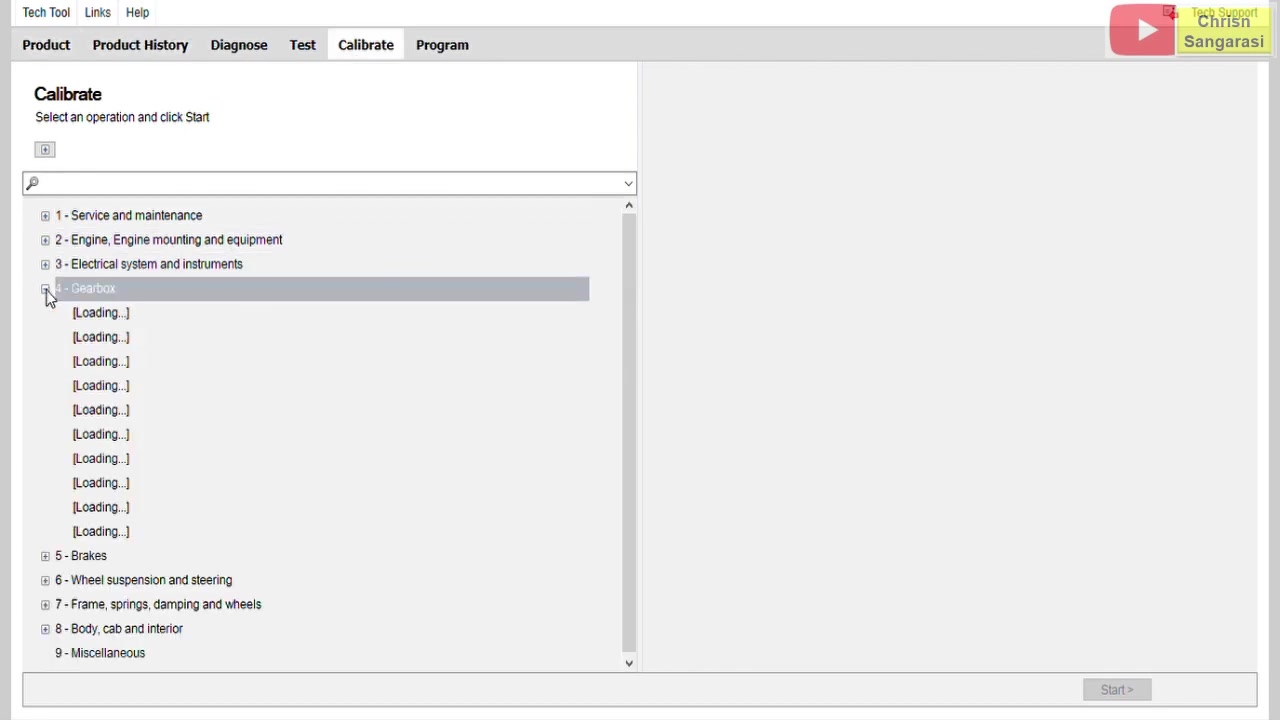
Select 40070-3 Gearbox, clutch, engagement point. This comprehensive operation calibrates both the clutch engagement position and all gearbox selector cylinder positions in a single sequence — the correct choice after any clutch or gearbox work.
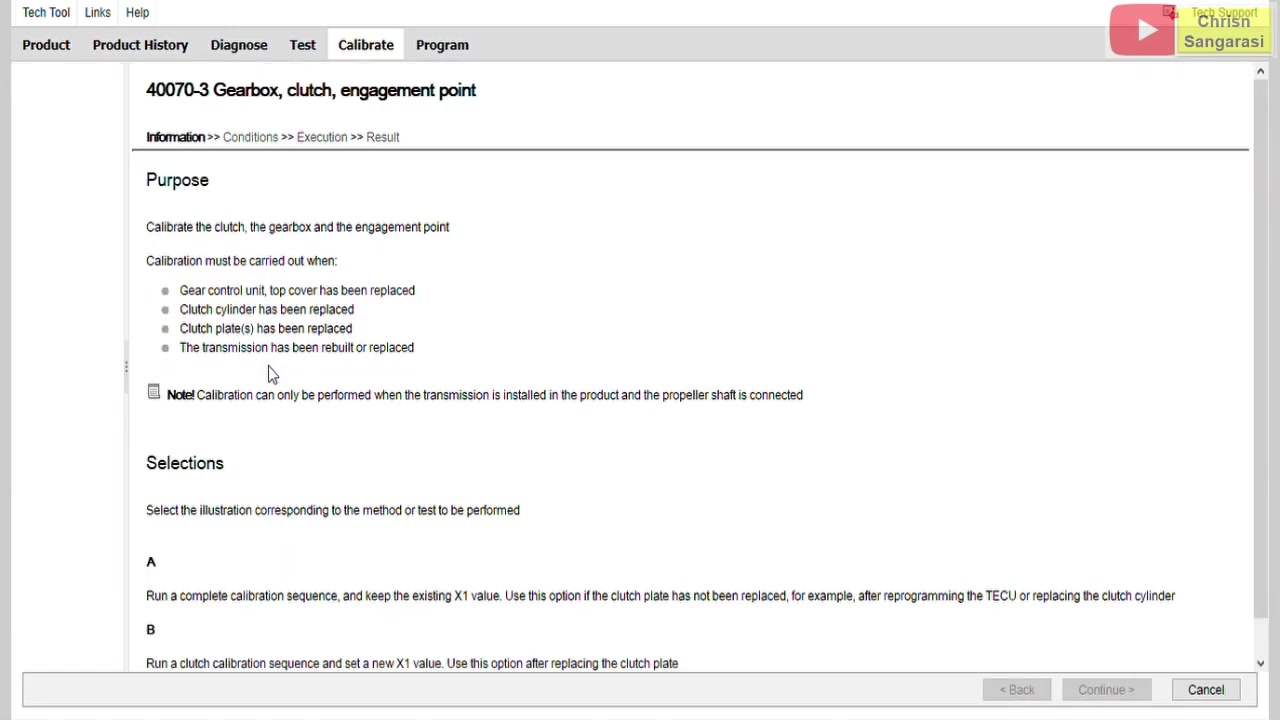
Step 4 — Verify Pre-Conditions
Tech Tool checks three mandatory pre-conditions in real-time before calibration can start:
- Engine not running — RPM must be 0 (turn off the engine and wait)
- Parking brake applied — truck must be stationary and secured
- Gear selector in neutral — I-Shift must be in N position
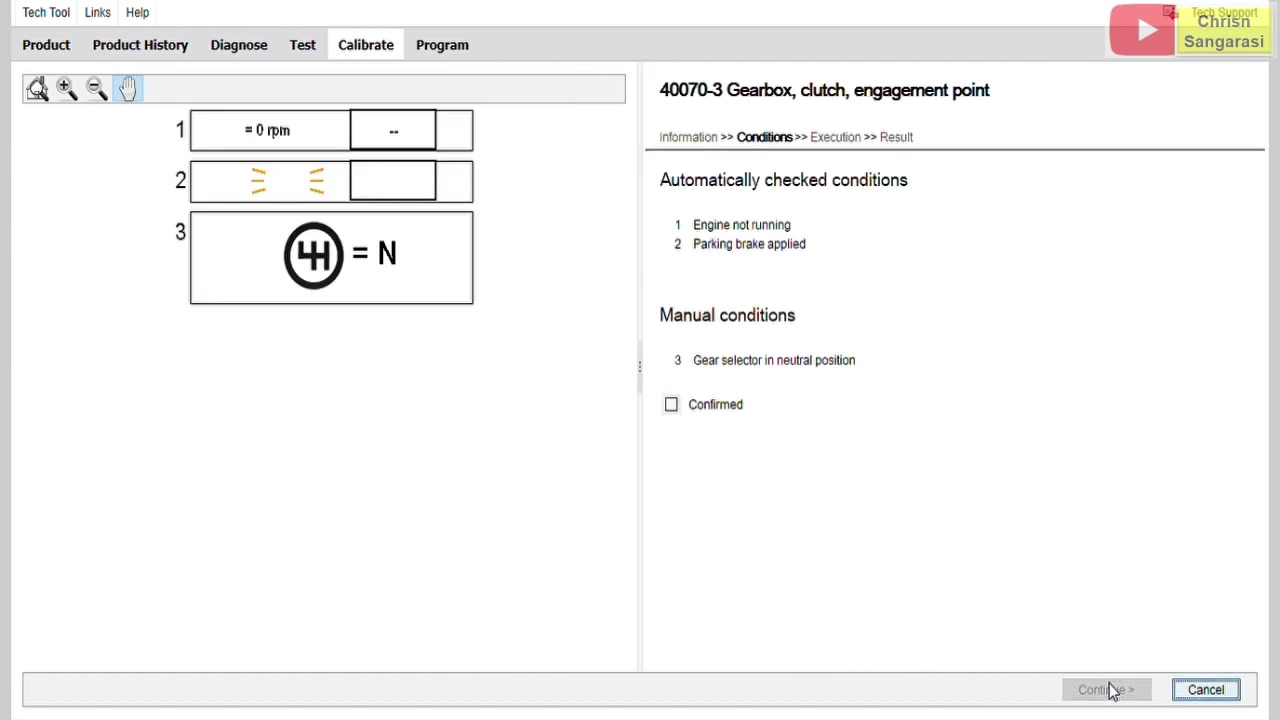
All three conditions must show green before Tech Tool allows the calibration to proceed. This prevents the calibration from running while the drivetrain is under load, which would produce inaccurate positional measurements.
Step 5 — Execute the Calibration Sequence
The calibration runs as an automated 5-step guided sequence:
- Step 1 — Clutch initial check: measures current clutch position baseline
- Step 2 — Gearbox initial check: checks all selector cylinder reference positions
- Step 3 — Start the engine: Tech Tool prompts you to start the engine (RPM must exceed 400)
- Step 4 — Clutch engagement point learning: GCU slowly moves the clutch actuator to find the exact bite point with engine running
- Step 5 — Ignition ON engine OFF: final static verification of all positions
The entire automated sequence takes approximately 90 seconds. Do not interrupt the process or move the vehicle during execution.
Step 6 — Review the Results
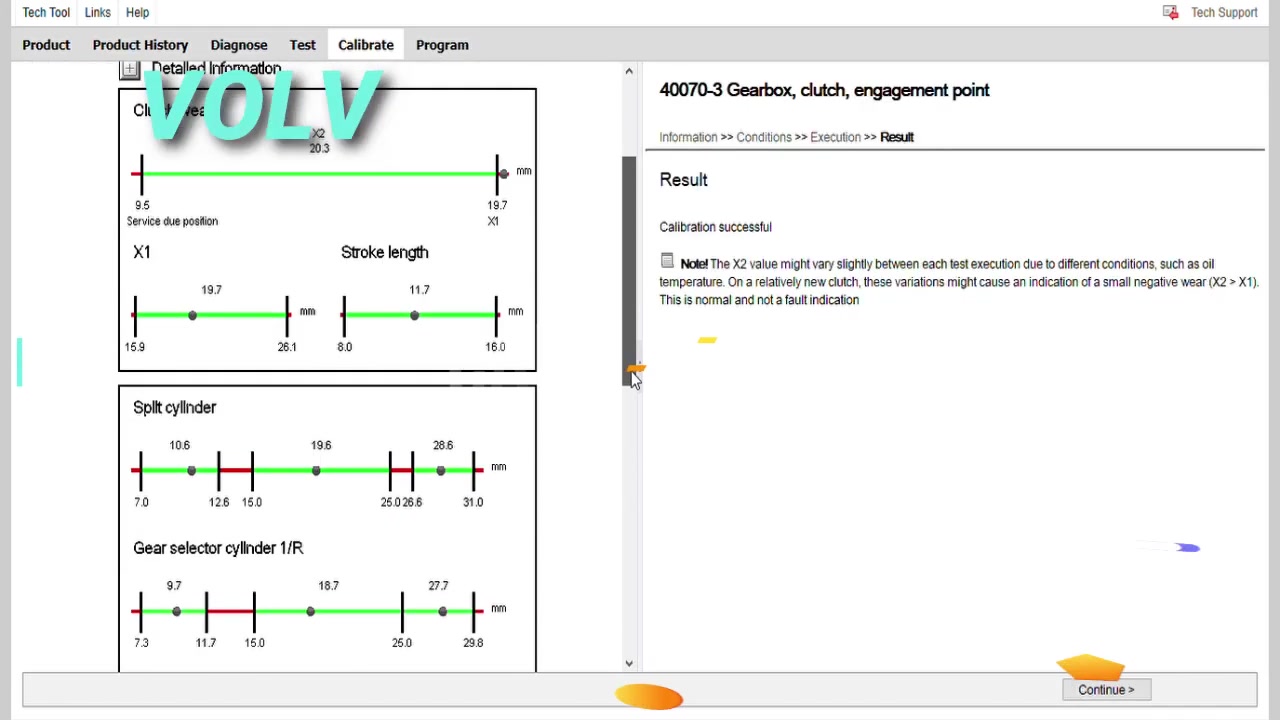
Upon completion, Tech Tool displays Calibration Successful along with all measured values for every component:
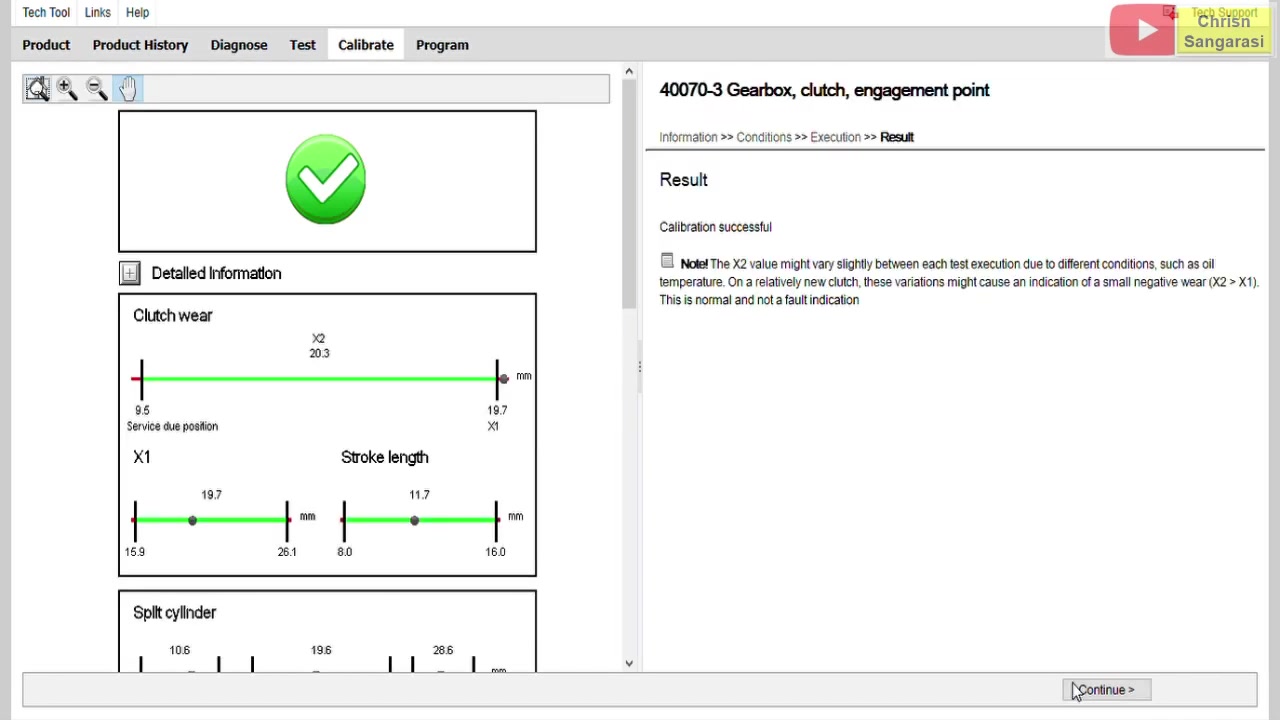
| Parameter | Measured Value | Status |
|---|---|---|
| Clutch wear X2 | 20.3 mm | Current position |
| Clutch wear X1 | 19.7 mm | Reference position |
| Clutch stroke length | 11.7 mm | OK — service due at 9.5 mm |
| Clutch engagement point | 26.7 nm | Within range (23.3 to 32.3 nm) |
| Split cylinder | Within range | Range: 7.0 to 26.0 nm |
| Gear selector cylinder 1/R | Within range | Range: 9.7 to 27.7 nm |
| Gear selector cylinder 2/3 | Within range | Range: 10.7 to 28.7 nm |
| Range cylinder | Within range | Range: 8.4 to 34.0 nm |
All values are within Volvo specified ranges. The clutch stroke length of 11.7 mm is safely above the service-due threshold of 9.5 mm — the clutch has useful life remaining and does not require immediate replacement.
Common I-Shift Calibration Errors and Fixes
| Error | Root Cause | Fix |
|---|---|---|
| Pre-conditions not met — RPM not 0 | Engine still running | Switch off ignition, wait 30 seconds |
| Calibration aborted — parking brake not set | Brake not engaged | Apply parking brake fully before starting |
| Clutch engagement point out of range | Clutch plate severely worn or wrong part installed | Check plate thickness, replace if below service limit |
| Selector cylinder out of range | Air pressure too low or mechanical fault in selector | Check air system pressure (minimum 7 bar), inspect selector unit |
| Communication lost during calibration | VOCOM II connection interrupted | Use USB cable not Bluetooth, check cable seating |
| Tech Tool not recognizing VOCOM II | Driver not installed or wrong PTT version | Reinstall VOCOM driver, ensure PTT 2.8 or higher is installed |
Which Volvo Tech Tool Version Do You Need?
The I-Shift calibration procedure (Operation 40070-3) is available in all modern versions of Volvo Tech Tool. Newer versions offer expanded vehicle coverage and updated calibration routines:
| Version | I-Shift Support | FH Gen 4 | Best For |
|---|---|---|---|
| PTT 2.8.10 | Yes | Yes | Basic calibration and diagnostics (older PCs) |
| PTT 2.8.150 | Yes | Yes | Expanded truck and bus coverage |
| PTT 2.8.210 | Yes | Yes | Latest supported standard version |
| PTT 2.8.241 VMware | Yes | Yes | Most current — plug-and-play VMware image |
For the easiest setup, the PTT 2.8.241 VMware image requires no installation — boot in VMware Player, pass through your VOCOM II via USB, and you are ready to calibrate within minutes. No compatibility issues with modern Windows systems.
Conclusion
The Volvo I-Shift clutch and transmission calibration (Operation 40070-3) is a straightforward guided procedure in Volvo Tech Tool. With the correct interface (VOCOM II), the right PTT version, and the three pre-conditions met, the entire process takes under 3 minutes and delivers precise measured values for every selector cylinder and clutch engagement position — restoring the transmission to factory-calibrated performance.
If you work on Volvo FH, FM, FMX, or Mack/Renault trucks with I-Shift gearboxes and need Volvo Tech Tool software to perform this calibration, see our available versions below:



