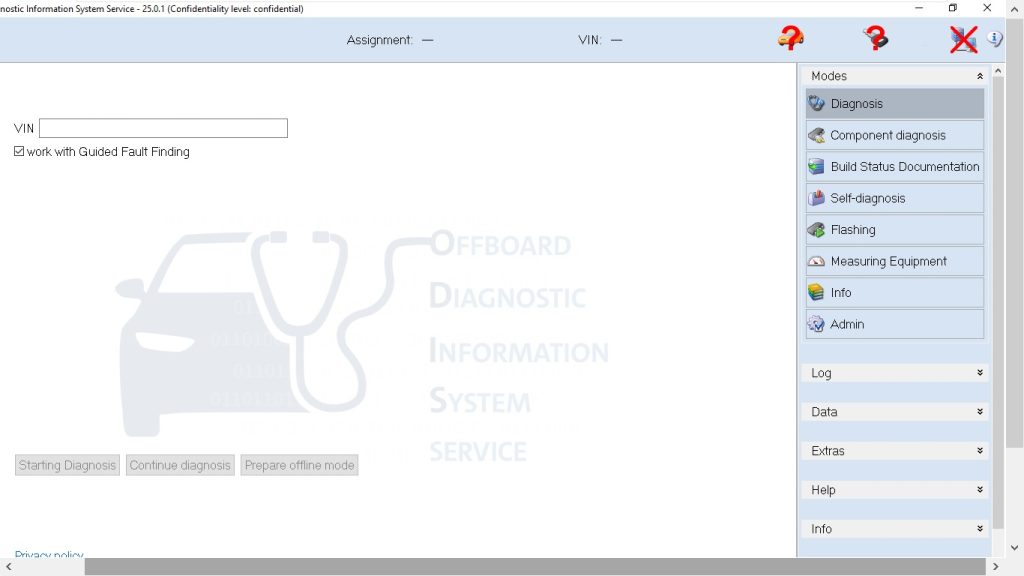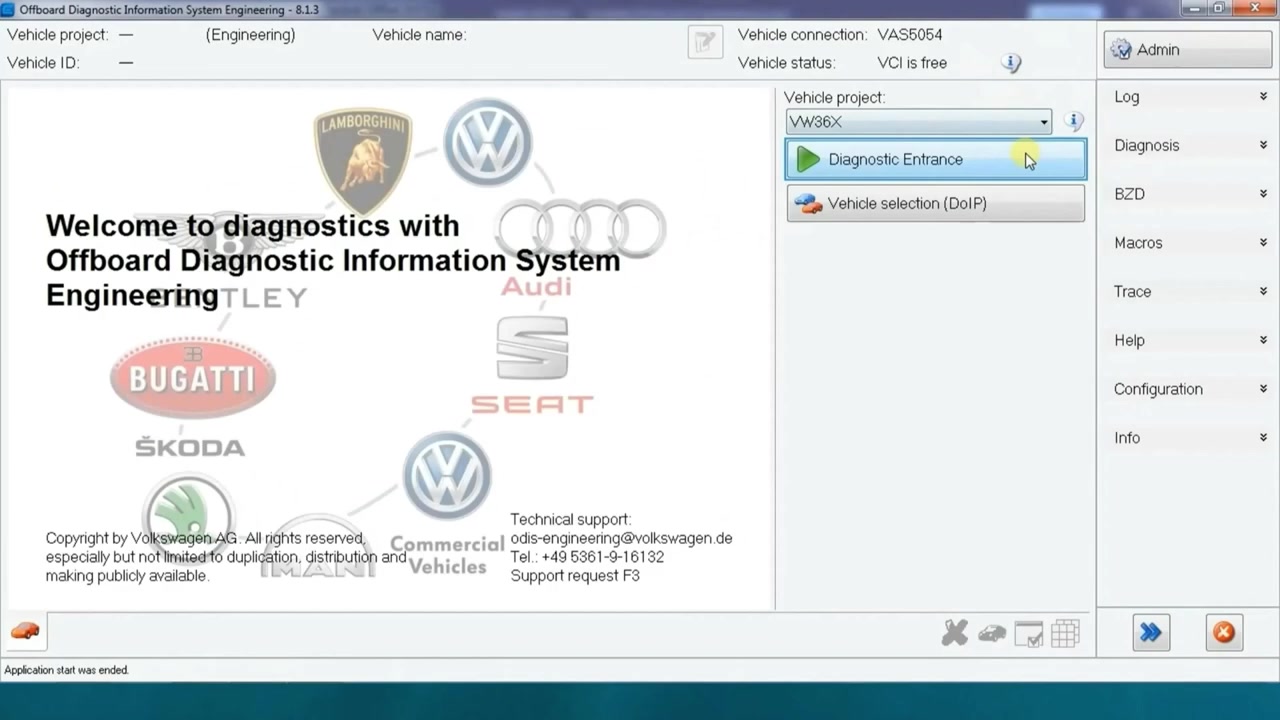
Offboard Diagnostic Information System Engineering – 8.1.3 (ODIS Engineering) is the premier software suite for deep‑level ECU programming and diagnostics on VW Group vehicles. This tutorial walks technicians through flashing the steering‑assist control unit, reading system identification data, clearing DTC memory, and preserving the steering‑assist characteristic map (Kennlinie) on a VW Tiguan (VW36X).
What You Will Learn
- How to launch the Diagnostic Entrance and select the correct vehicle profile.
- How to read ECU identification information and verify firmware versions.
- The correct procedure for flashing the steering‑assist ECU using ODIS Engineering 8.1.3.
- How to back up and restore the Kennlinie (characteristic map) before and after flashing.
- How to clear fault memory safely without triggering new errors.
- Power‑supply best practices to avoid interruptions during a flash.
- How to confirm the update succeeded and re‑calibrate the steering‑assist system.
Step-by-Step Walkthrough
Begin by connecting the ODIS Engineering 8.1.3 laptop to the vehicle’s OBD‑II port with a high‑quality VAG‑COM cable. Power the vehicle to the “IGNITION ON” position, but do not start the engine. Launch ODIS Engineering and select Diagnostic Entrance from the main menu. In the vehicle selection tree, choose VW → Group → VW36X → Tiguan. Click Connect and wait for the handshake to complete.
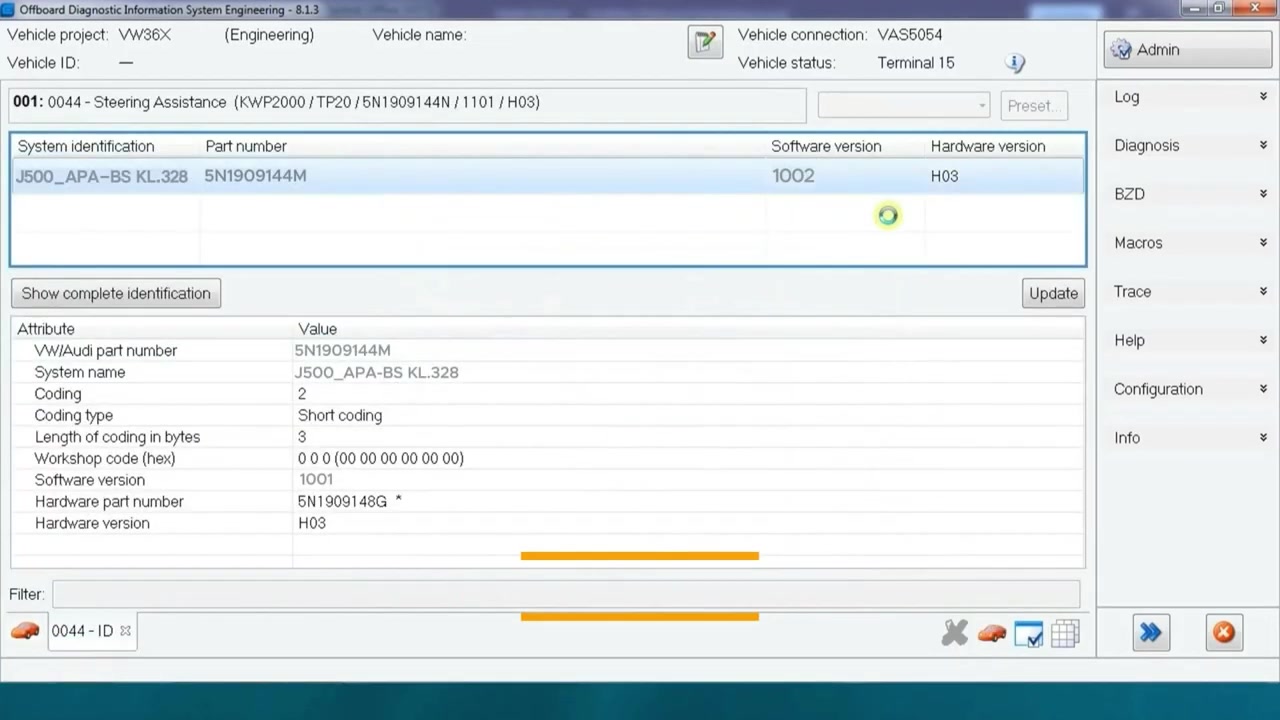
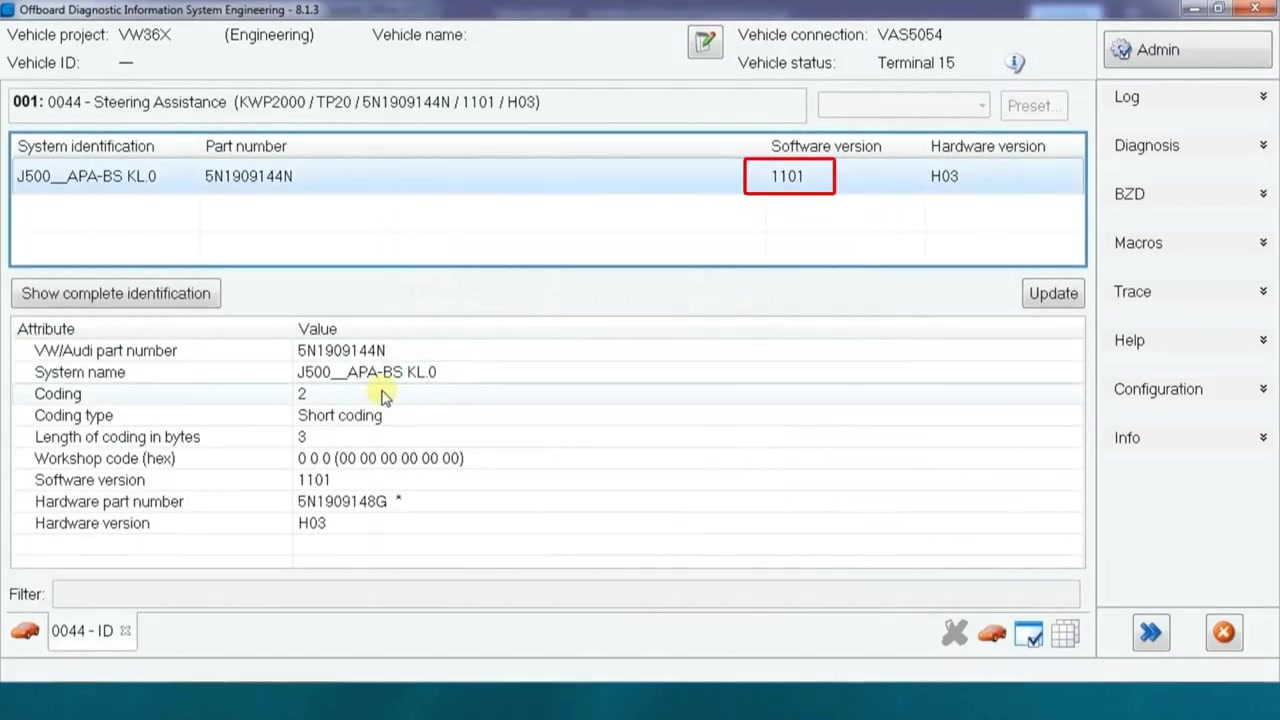
Once the connection is established, navigate to System Identification. This module reads the ECU’s part number, software version, and calibration ID. Record the calibration ID (e.g., 328) because flashing will reset the Kennlinie to zero.
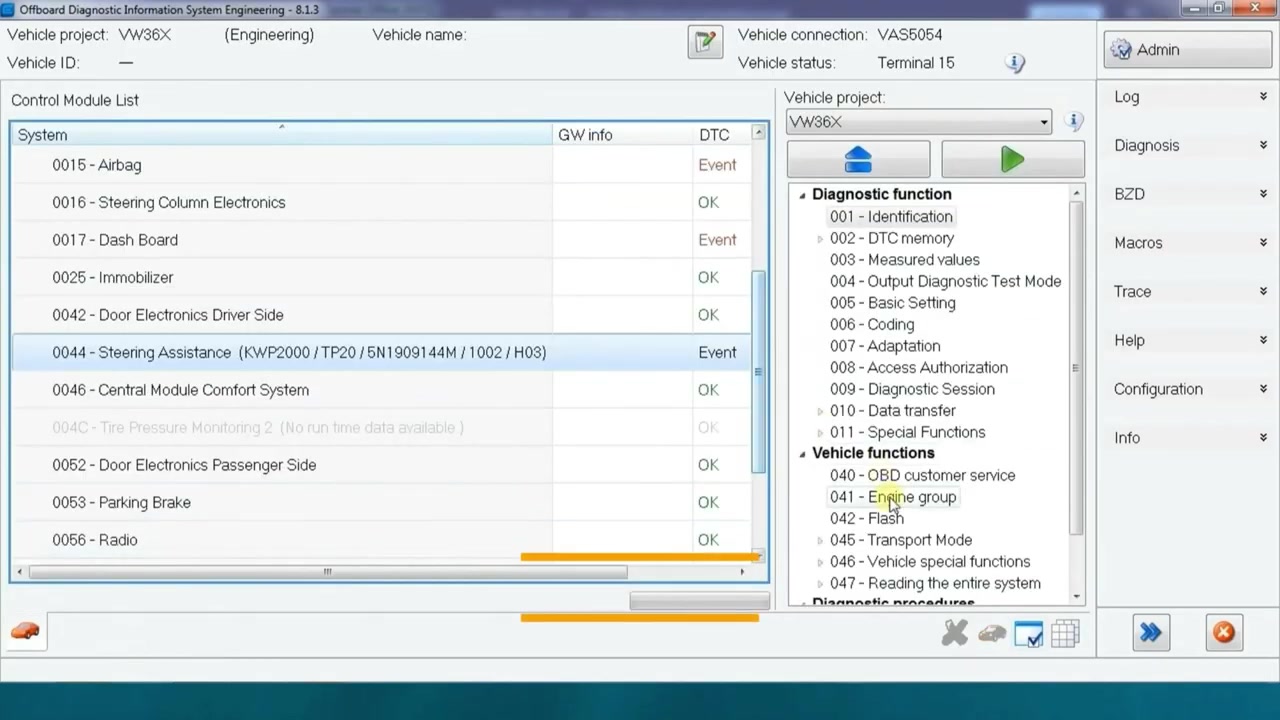
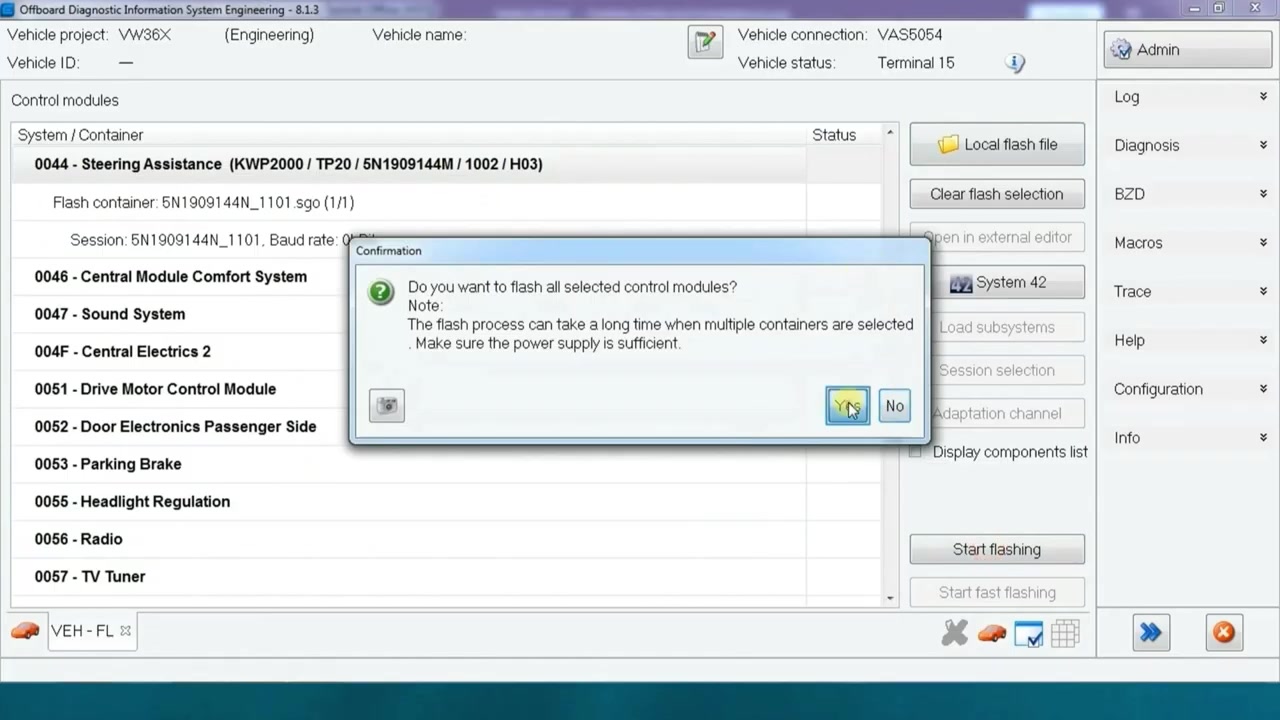
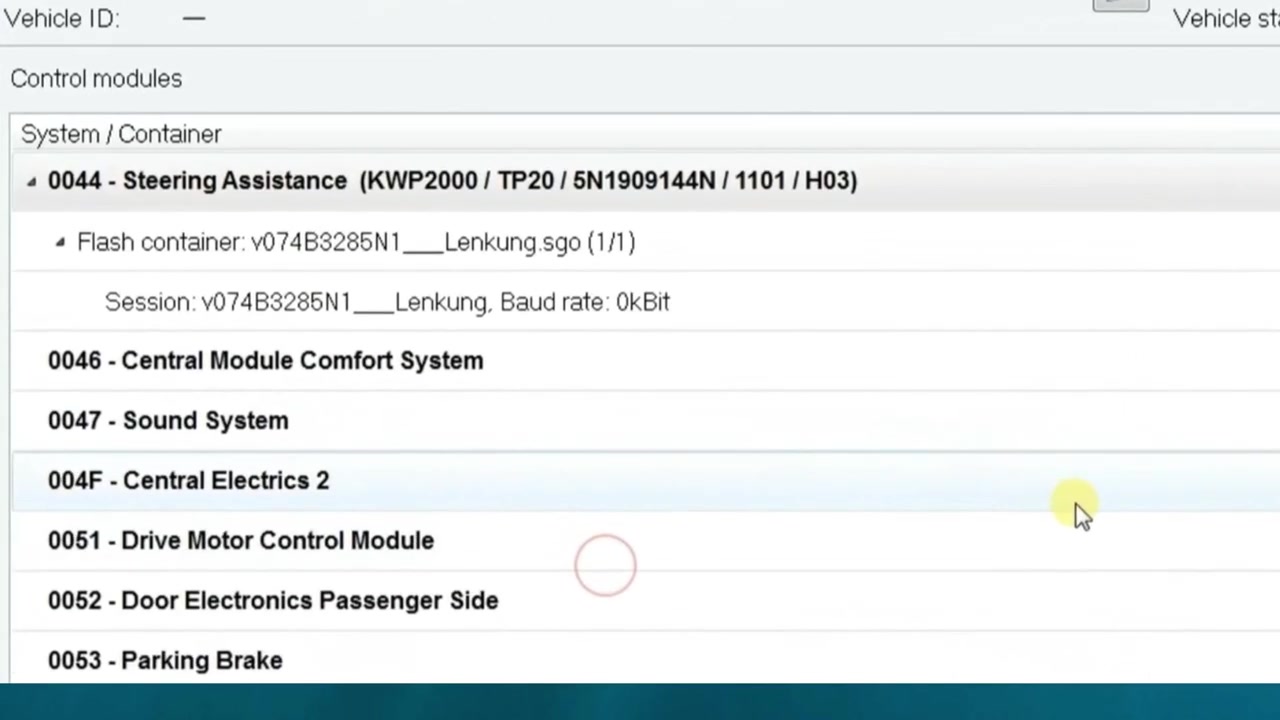
Next, open the Flashing tab. Select the appropriate flash file that matches the recorded calibration ID and the desired software version. Before starting the flash, verify that the laptop’s battery is above 80 % and that an external 12 V power source is connected to the vehicle’s battery with the ignition off. This prevents voltage drops that could corrupt the ECU. Click Start Flash. ODIS Engineering will erase the old firmware, write the new image, and verify the checksum. The process typically takes 5–7 minutes.
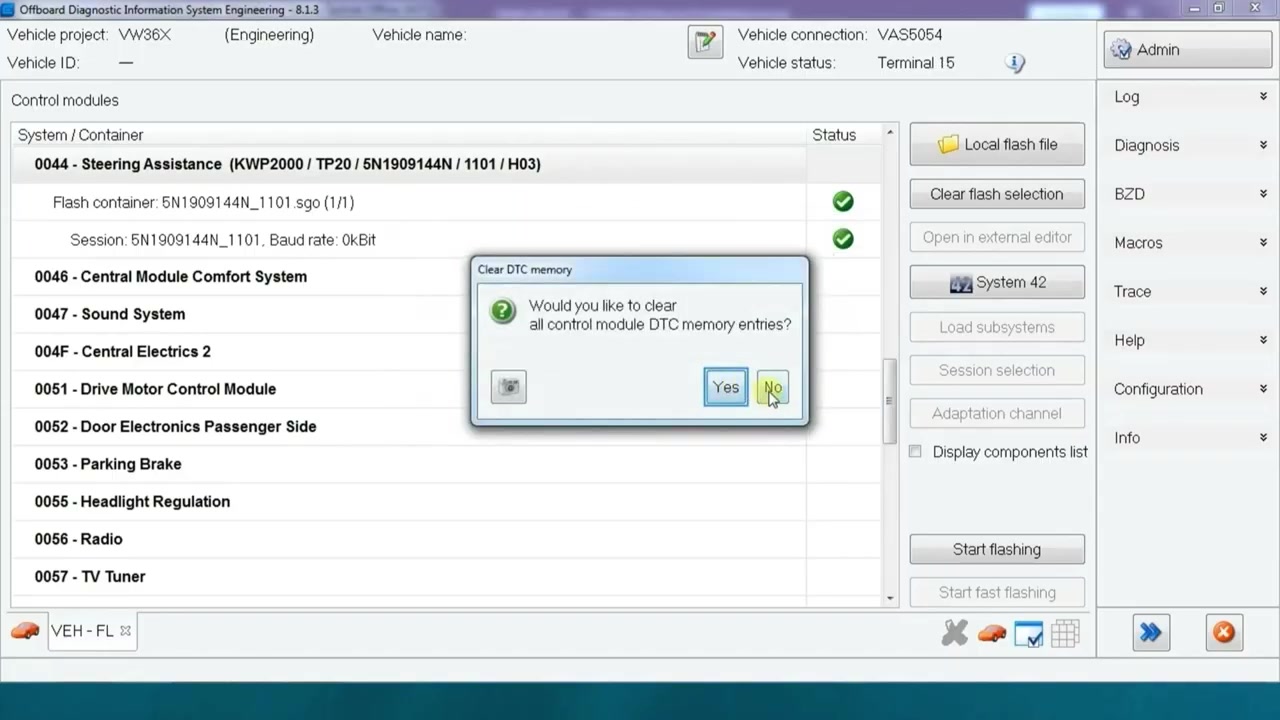
When the flash completes, ODIS Engineering will display a success message. Immediately proceed to the Clear DTC Memory function. Select the steering‑assist ECU from the ECU list and press Clear. Confirm the action; the system will purge all stored fault codes, returning the DTC memory to a clean state.
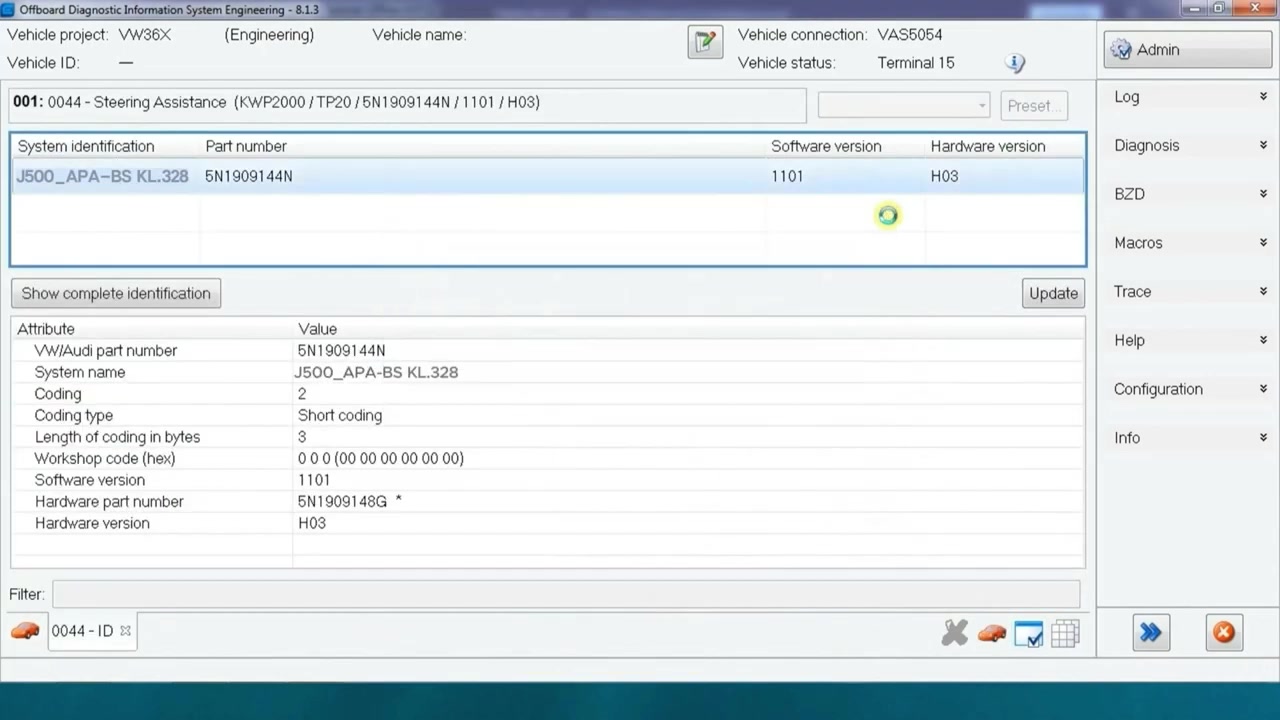
Now return to the System Identification screen to read the new calibration ID. Because the flash reset the Kennlinie, you must re‑enter the saved map values. Open the Parameterization module, locate the Kennlinie entry (usually under “Steering Assist – Characteristic Map”), and manually input the previously recorded numbers (e.g., 328). Save the changes and write them back to the ECU.
After the map is restored, perform a quick functional test. Turn the steering wheel from lock‑to‑lock while the vehicle is still stationary and observe the assist torque. If the assist feels consistent with the original calibration, the procedure was successful. Capture a final screenshot of the live data stream to document the restored values.
Finally, generate a diagnostic report. In ODIS Engineering, go to Report → Create, select the steering‑assist ECU, and include sections for system identification, flash file details, DTC clearance, and Kennlinie values. Export the report as PDF and store it in the service history folder for future reference.
For completeness, disconnect the diagnostic cable, turn off the ignition, and close ODIS Engineering. The vehicle is now ready for road testing or customer delivery.
Key Features of Offboard Diagnostic Information System Engineering – 8.1.3
- Comprehensive ECU flashing with checksum verification.
- Real‑time parameterization of calibration maps (Kennlinien) across all VW Group modules.
- Advanced system identification that reads part numbers, software versions, and calibration IDs.
- Integrated DTC management, including read, clear, and freeze‑frame capture.
- Automated report generation with customizable templates.
- Support for external power‑supply monitoring to prevent flash interruptions.
Compatible Vehicles and ECUs
The tutorial focuses on the VW Tiguan (VW36X) platform, but the same workflow applies to other VW Group models that share the steering‑assist ECU architecture, such as the Golf, Passat, Audi Q3, and SEAT Ateca. The specific ECU addressed is the steering‑assist control unit (ECU identifier: 7E0).
Pro Tips
- Always write down the Kennlinie numbers (e.g., 328) before flashing; they will revert to zero after the update.
- Use a dedicated 12 V battery charger or a power‑stabilizer to keep voltage above 13.5 V throughout the flash.
- Perform a full backup of the ECU’s flash memory using the “Read Flash” function before any update.
- After clearing DTCs, run a short‑duration drive cycle to ensure no new faults are logged.
- Document every step in the ODIS Engineering report; this creates a traceable audit trail for warranty claims.
By following this structured approach with ODIS Engineering 8.1.3, technicians can confidently flash steering‑assist ECUs, preserve critical calibration data, and maintain vehicle safety standards.
Frequently Asked Questions
What information should be noted before flashing a control unit?
The system name (Kennlinie) and software version, especially the numbers within the system name (e.g., 328), as they reset to zero after the flash.
How do I flash a control unit using ODIS Engineering?
Select ‘Diagnostic Entrance’, then ‘Flash’ under ‘Vehicle functions’, choose the local flash file, and start flashing.
How do I restore the characteristic map (Kennlinie) after flashing a control unit?
After the main software flash, select ‘Flash’ again, choose the specific Kennlinie file (identified by the noted numbers like 328 and 5N for Tiguan), and flash it.
Ready to use Offboard Diagnostic Information System Engineering – 8.1.3 in your workshop? Download it directly from firstdiag.com — instant delivery, no subscription needed.